Imagine a desk, clean and serene, completely free from a spaghetti tangle of cables. No more wrestling with HDMI, DisplayPort, or power cords. This isn’t a futuristic dream; it’s the reality offered by the revolutionary wireless computer monitor. As a veteran in the monitor industry and content creator for sbinj.com, I’ve seen firsthand how these untethered displays are transforming workspaces, boosting productivity, and offering unprecedented freedom to users everywhere.
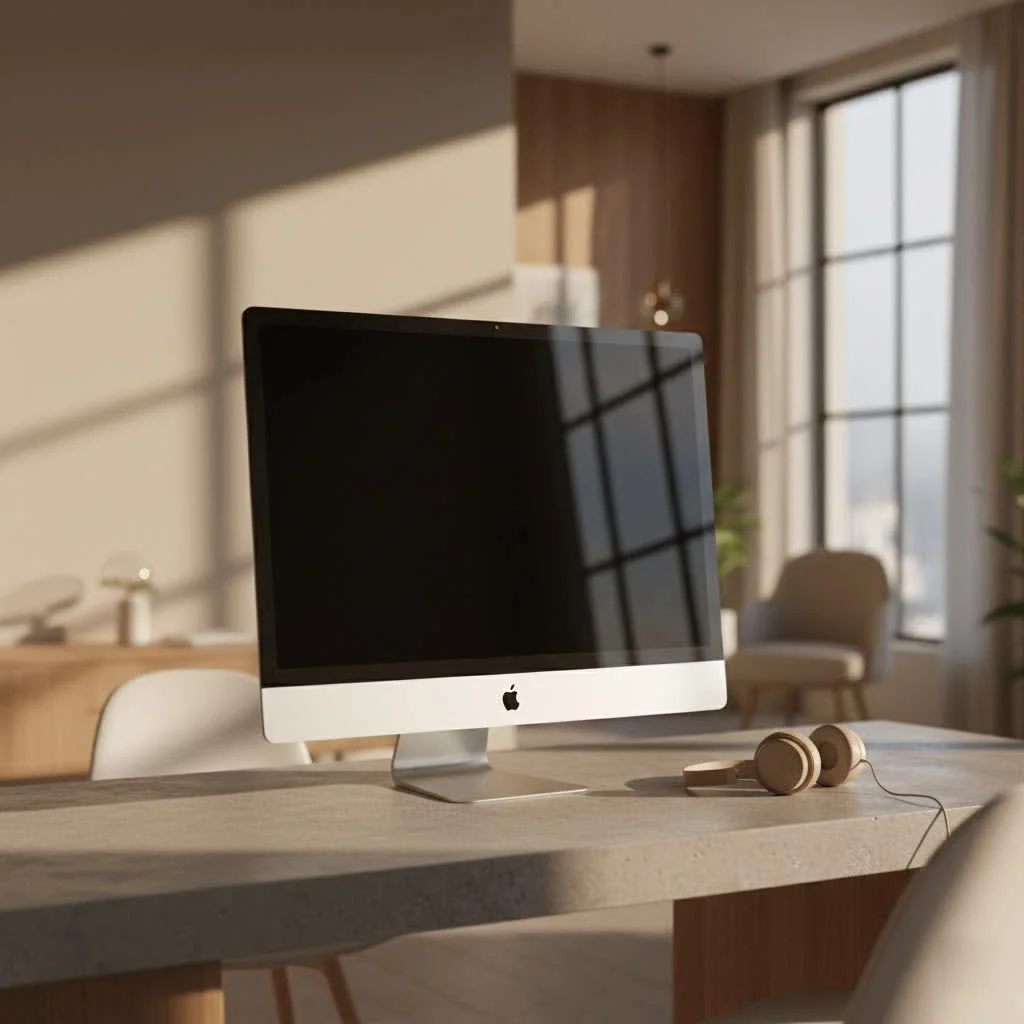
What if you could place your secondary display anywhere in the room, seamlessly share your screen with colleagues, or extend your smartphone’s interface to a larger canvas without a single wire in sight? A wireless computer monitor isn’t just about convenience; it’s about reimagining how we interact with our digital world, making our setups more flexible, aesthetic, and incredibly efficient. For compare top computer monitor on this site.
What Exactly is a Wireless Computer Monitor?
At its core, a wireless computer monitor is a display device that communicates with your computer, smartphone, or tablet without needing physical video cables. Instead of relying on traditional wired connections like HDMI or DisplayPort, these monitors leverage various wireless technologies to receive and project content. Think of it as a sophisticated form of screen mirroring or casting, but specifically designed for a full display experience.
How does this magic happen? Your source device (be it your trusty laptop, a sleek tablet, or your powerful smartphone) encodes its audio and video data and transmits it wirelessly. The wireless computer monitor then acts as a receiver, decoding that signal and showcasing it on its screen. The underlying technology often involves Wi-Fi, Bluetooth, or specialized wireless display protocols like Miracast and Apple’s AirPlay. Wi-Fi Direct, for instance, allows devices to connect directly to each other, bypassing the need for a traditional router and ensuring a more streamlined connection.
The Unmistakable Advantages of Going Wireless
Stepping into the world of a wireless computer monitor brings a host of benefits that can fundamentally change your daily computing experience.
Clutter-Free & Aesthetic Appeal
This is perhaps the most immediate and satisfying advantage. Say goodbye to messy cables that accumulate dust and detract from an organized workspace. A wireless computer monitor allows for a minimalist setup, creating a visually cleaner and more inviting environment. This isn’t just about looks; a tidy desk can significantly reduce distractions and improve focus.
Unparalleled Flexibility & Mobility
With no wires to tie you down, you gain incredible freedom. You can position your wireless computer monitor virtually anywhere within its signal range – across the room for a presentation, next to your couch for casual browsing, or as a portable second screen for working on the go. Many modern wireless monitors are designed with portability in mind, featuring built-in batteries and lightweight designs, making them perfect companions for travel or agile workspaces.
Seamless Multi-Device Connectivity
|
Our Picks for the Best Computer Monitor in 2026
As an Amazon Associate I earn from qualifying purchases.
|
||
| Num | Product | Action |
|---|---|---|
| 1 | Philips 221V8LB 22 inch Class Thin Full HD (1920 x 1080) Monitor, 100Hz Refresh Rate, VESA, HDMI x1, VGA x1, LowBlue Mode, Adaptive Sync, 4 Year Advance Replacement Warranty |

|
| 2 | Samsung 27\\\" Essential S3 (S36GD) Series FHD 1800R Curved Computer Monitor, 100Hz, Game Mode, Advanced Eye Comfort, HDMI and D-sub Ports, LS27D366GANXZA, 2024 |
|
| 3 | LG HDMI(2), DP, RS232C in/Out, RJ45 in,IR I |
|
| 4 | Samsung 24” (S40GD) Borderless Business Monitor with IPS Panel, 100Hz Refresh Rate, Eye Saver Mode, Ergonomic Design, Game Picture Mode, LS24D402GANXGO, 3 Yr Warranty |
|
| 5 | Samsung 27\\\" S3 (S32GF) FHD High Resolution 120Hz Monitor with IPS Panel, Flicker Free, Eye Saver Mode, LS27F320GANXZA, 2025 |
|
| 6 | acer 27 Inch Monitor- KB272-27 Inch FHD IPS (1920 x 1080) Display, Up to 120Hz Refresh Rate, 99% sRGB, Tilt, Adaptive-Sync Support (FreeSync Compatible) 1ms (VRB), HDMI & VGA Ports |
|
| 7 | MAFNKOU Portable Monitor Touchscreen 14” 1920 * 1200P Gaming Display,Built-in Stand Speakers HDR IPS External Monitor for Laptop Portable,Travel Monitors for Laptop Mac PC Phone PS4/5 Xbox Switch |
|
| 8 | Philips New 27-inch Class Thin Full HD (1920 x 1080) 100Hz Monitor, VESA, HDMI x 1, VGA Port x1, Eye Care, 4 Year Advance Replacement Warranty, 271V8LB, Black |
|
| 9 | Amazon Basics 24 Inch (23.8 inch viewable) Monitor, FHD 1080P, Max 100Hz, VESA Compatible, Built-in Speakers, Black |
|
| 10 | Samsung 32-Inch Flat Computer Monitor, 75Hz, Borderless Display, AMD FreeSync, Game Mode, Advanced Eye Care, HDMI and DisplayPort, LS32B304NWNXGO, 2024 |
|
Imagine switching your display from your laptop to your tablet, and then to your smartphone, all with a few clicks or taps, and without ever touching a cable. A wireless computer monitor excels in this regard, supporting connections with multiple devices and allowing for quick, effortless transitions, which is ideal for multitasking professionals or collaborative environments.
Effortless Presentations & Collaboration
In meeting rooms or collaborative spaces, the ability to instantly share your screen can be a game-changer. A wireless computer monitor facilitates immediate screen sharing from various devices, making presentations more dynamic and fostering a highly interactive collaborative atmosphere. No more fumbling with adapters or waiting for someone to plug in.
Simplified Setup
While some initial software installation or driver setup might be required, the ongoing process of using a wireless computer monitor is often far simpler than traditional wired setups. Once paired, connecting is usually a matter of selecting the display from your device’s settings, significantly reducing setup time and technical hassle.
Navigating the Wireless Landscape: Key Considerations
While the benefits are compelling, it’s important to understand a few considerations when choosing a wireless computer monitor to ensure it aligns with your specific needs.
Performance & Latency
One common question is about latency or input lag. For general productivity tasks like browsing, word processing, or watching videos, modern wireless computer monitors offer excellent performance with minimal perceptible lag. However, for demanding activities like competitive gaming or high-precision graphic design, where every millisecond counts, a wired connection might still provide a slightly snappier response. Advances in wireless display technology are constantly minimizing this gap, but it’s a factor to keep in mind.
Connectivity Standards & Compatibility
Not all wireless connections are created equal.
- Miracast: Widely supported by Windows and Android devices, Miracast enables direct peer-to-peer screen mirroring. It’s often referred to as “HDMI over Wi-Fi” for its direct connection capability.
- AirPlay: Apple’s proprietary standard, AirPlay, is perfect for users within the Apple ecosystem, allowing seamless casting from iPhones, iPads, and Macs to compatible monitors or Apple TV devices.
- Proprietary Dongles/Receivers: Some wireless monitors come with their own USB-C wireless dongles to ensure optimal performance and broader compatibility, even with devices that might not natively support a specific wireless standard.
It’s crucial to check your existing devices’ compatibility with the monitor’s wireless standards.
Power Solutions
Many truly wireless portable monitors feature built-in batteries, offering several hours of cord-free operation. For instance, models like the ViewSonic VG1656N or HotYeah portable monitors often include batteries providing 3-5 hours of use, making them excellent for mobile work. For larger, stationary wireless computer monitors, they will typically require an AC power connection, much like traditional displays, but still eliminate the video cables.
Resolution & Display Quality
Wireless computer monitors are available in a range of resolutions and panel types. You can find everything from Full HD (1920×1080) to WUXGA (1920×1200), 2.5K (2560×1600), and even 4K displays. IPS panels are common, offering wide viewing angles and good color reproduction. While some budget-friendly portable models might make compromises on color gamut to accommodate features like a built-in battery, higher-end options maintain excellent visual fidelity.
Range & Interference
Most wireless display technologies operate over Wi-Fi frequencies, offering a decent range within a typical room. However, certain advanced technologies, such as 5G mmWave used in some niche high-performance wireless displays, might require a clear “line of sight” between the transmitter and receiver for optimal, low-latency performance. Obstacles can sometimes cause signal degradation or momentary interruptions.
Choosing Your Perfect Wireless Companion: What to Look For
Selecting the ideal wireless computer monitor involves matching its features to your personal or professional needs. Here’s a checklist:
- Screen Size and Resolution: What size and clarity do you need for your tasks? A 16-inch portable 2.5K display is fantastic for productivity on the go, while a larger 4K option might suit a dedicated home office.
- Battery Life (for portable models): If mobility is key, look for monitors with a decent battery capacity (e.g., 4000mAh to 8000mAh) that offers several hours of use.
- Connectivity Options: Beyond wireless, check for versatile wired backup ports like USB-C (especially with power delivery), and Mini HDMI. These ensure compatibility with a wider range of devices and offer a reliable alternative when wireless isn’t feasible.
- Ergonomics: A good kickstand or smart cover that doubles as a stand is essential for portable units. Features like auto-rotation (especially useful for mobile devices) enhance usability.
- Additional Features: Do you need a touchscreen for interactive tasks? Are built-in speakers important for media consumption or presentations? Consider these extras based on your usage.
“The leap to a wireless computer monitor is more than just shedding cables; it’s about embracing a workspace that adapts to you, not the other way around. The flexibility and streamlined experience it offers are invaluable in today’s dynamic digital environment,” observes Eleanor Vance, a leading expert in display technology.
Setting Up Your Wireless Monitor: A Quick Guide
Setting up your wireless computer monitor is generally straightforward:
- Power On: Connect your monitor to power or ensure its battery is charged.
- Enable Wireless Mode: Activate the wireless display feature on your monitor, usually via an on-screen display (OSD) menu button.
- Connect from Your Device:
- Windows: Press
Windows key + Kor navigate to Action Center > Connect. Your monitor should appear as an available display. - Android: Look for “Cast,” “Screen Mirroring,” or “Wireless Display” in your quick settings or display settings.
- macOS/iOS: Use AirPlay from your Control Center or display settings.
- Windows: Press
- Pairing: Select your monitor from the list. You might need to confirm a pairing code shown on the monitor.
- Install Software (if required): Some monitors might prompt you to install a specific app or driver for enhanced features or the initial setup.
Once connected, you can usually choose to duplicate your screen, extend your desktop, or use the monitor as a secondary display, just as you would with a wired setup.
The Future is Untethered: Why Wireless Monitors are Here to Stay
The evolution of the wireless computer monitor represents a significant step towards truly flexible and user-centric computing. We’ve moved past the novelty phase; these displays are now reliable, feature-rich tools that address real-world needs for portability, organization, and seamless collaboration.
As wireless technologies continue to advance, we can expect even lower latency, greater bandwidth, and broader compatibility, making the choice for a wireless computer monitor even more compelling. The future of our digital workspaces is undoubtedly untethered, offering us the freedom to work, create, and consume content wherever and however we choose.
Choosing a wireless computer monitor is an investment in a more organized, flexible, and efficient digital life. Whether you’re a professional seeking a streamlined workstation, a student needing a portable second screen, or simply someone who yearns for a cable-free existence, the benefits are clear. Embrace the freedom, explore the possibilities, and experience the next generation of display technology. Your desk – and your productivity – will thank you for it.
Get our weekly buyer guide
Practical specs, not advice. Unsubscribe anytime.