In the bustling world of technology, where bigger often seems to be better, the humble 22-inch computer monitor continues to hold its ground as a surprisingly versatile and practical choice. If you’ve been wondering whether a more compact display can truly meet your demands, you’re in the right place. As a long-time expert in computer monitors and a content creator for Sbinj.com, I’m here to tell you that this size offers a fantastic balance of performance, space efficiency, and affordability, making a 22-inch computer monitor a smart option for countless users.
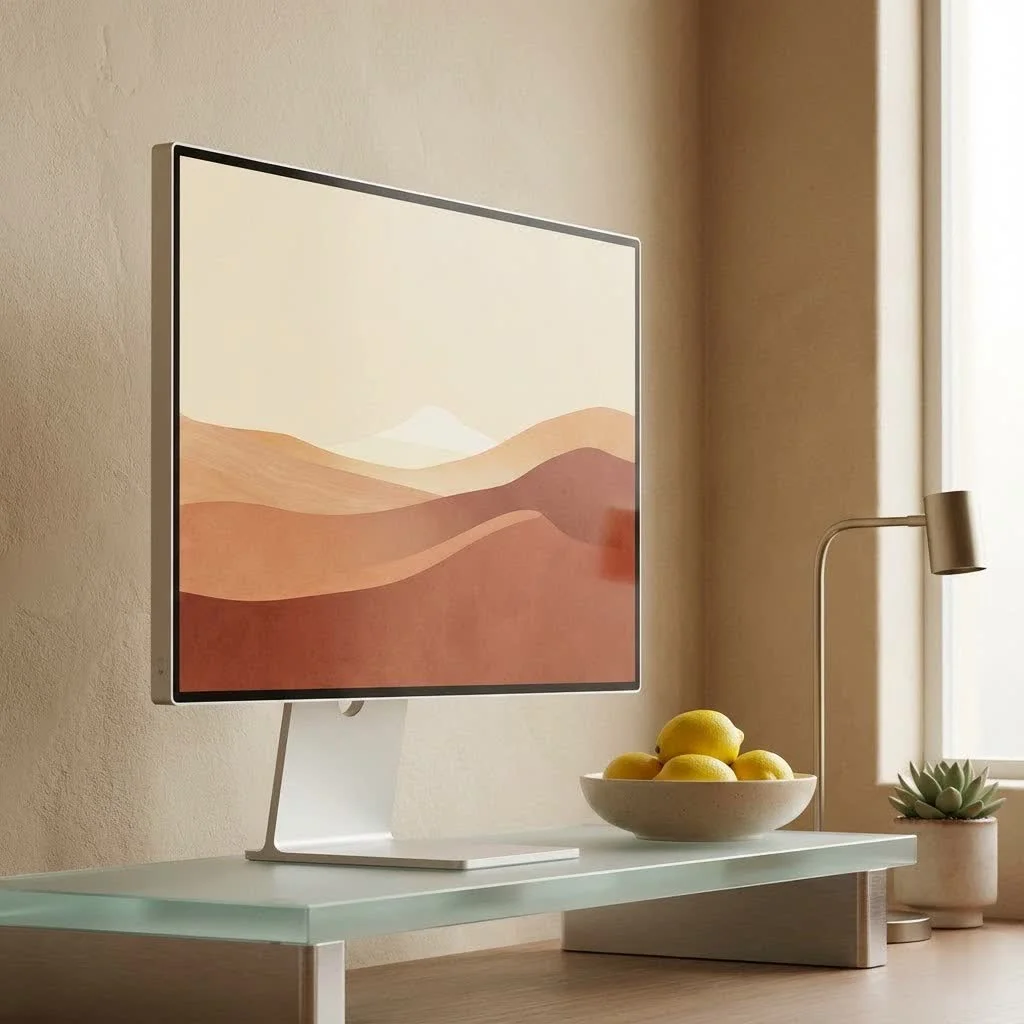
This guide will dive deep into why these monitors remain popular, what critical specifications to look for, and who stands to benefit most from their unique advantages. We’ll cut through the jargon and equip you with the knowledge to confidently choose the perfect 22-inch display for your needs. For complete computer monitor library on this site.
Why a 22-Inch Monitor Might Be Your Perfect Fit
The popularity of the 22-inch computer monitor isn’t accidental. It’s a sweet spot for many, delivering solid functionality without overwhelming your workspace or your wallet.
Space-Saving Champion
Let’s face it, not everyone has a sprawling desk or a dedicated office space. For those working from home, students in dorms, or anyone with limited real estate, a 22-inch monitor is a lifesaver. Its manageable footprint ensures it fits comfortably without making your desk feel cramped or cluttered. It’s an ideal solution for maintaining a tidy, efficient workstation.
Budget-Friendly Brilliance
One of the most appealing aspects of a 22-inch computer monitor is its cost-effectiveness. Compared to larger displays, you can often find a 22-inch model packed with excellent features at a significantly lower price point. This makes it an accessible option for students, small businesses, or anyone looking for a reliable display without breaking the bank. It’s about getting great value for your hard-earned money.
Energy Efficiency
Beyond the initial purchase price, a 22-inch monitor can also save you money in the long run. Generally, these smaller displays consume less power than their larger counterparts. This energy efficiency not only translates to lower electricity bills but also makes them a more environmentally conscious choice for long-term use.
The Multi-Monitor Master
For many professionals and power users, a single screen just isn’t enough. This is where the 22-inch monitor truly shines in a multi-monitor setup. Their compact size allows you to easily arrange two, or even three, displays side-by-side. This creates an expansive digital workspace for enhanced multitasking, whether you’re juggling multiple documents, monitoring data, or referencing sources while writing. The seamless integration of multiple 22-inch monitors can dramatically boost your productivity without feeling overwhelming.
Decoding the Specs: What to Look For
Choosing the right 22-inch computer monitor involves understanding a few key technical specifications. Don’t worry, we’ll keep it straightforward!
Resolution: Clarity in Every Pixel
|
Our Picks for the Best Computer Monitor in 2026
As an Amazon Associate I earn from qualifying purchases.
|
||
| Num | Product | Action |
|---|---|---|
| 1 | Samsung 27\\\" Essential S3 (S36GD) Series FHD 1800R Curved Computer Monitor, 100Hz, Game Mode, Advanced Eye Comfort, HDMI and D-sub Ports, LS27D366GANXZA, 2024 |

|
| 2 | Samsung 24” (S40GD) Borderless Business Monitor with IPS Panel, 100Hz Refresh Rate, Eye Saver Mode, Ergonomic Design, Game Picture Mode, LS24D402GANXGO, 3 Yr Warranty |
|
| 3 | Samsung 32-Inch Flat Computer Monitor, 75Hz, Borderless Display, AMD FreeSync, Game Mode, Advanced Eye Care, HDMI and DisplayPort, LS32B304NWNXGO, 2024 |
|
| 4 | Philips 221V8LB 22 inch Class Thin Full HD (1920 x 1080) Monitor, 100Hz Refresh Rate, VESA, HDMI x1, VGA x1, LowBlue Mode, Adaptive Sync, 4 Year Advance Replacement Warranty |
|
| 5 | Samsung 27\\\" S3 (S32GF) FHD High Resolution 120Hz Monitor with IPS Panel, Flicker Free, Eye Saver Mode, LS27F320GANXZA, 2025 |
|
| 6 | LG HDMI(2), DP, RS232C in/Out, RJ45 in,IR I |
|
| 7 | Amazon Basics 24 Inch (23.8 inch viewable) Monitor, FHD 1080P, Max 100Hz, VESA Compatible, Built-in Speakers, Black |
|
| 8 | acer 27 Inch Monitor- KB272-27 Inch FHD IPS (1920 x 1080) Display, Up to 120Hz Refresh Rate, 99% sRGB, Tilt, Adaptive-Sync Support (FreeSync Compatible) 1ms (VRB), HDMI & VGA Ports |
|
| 9 | MAFNKOU Portable Monitor Touchscreen 14” 1920 * 1200P Gaming Display,Built-in Stand Speakers HDR IPS External Monitor for Laptop Portable,Travel Monitors for Laptop Mac PC Phone PS4/5 Xbox Switch |
|
| 10 | Philips New 27-inch Class Thin Full HD (1920 x 1080) 100Hz Monitor, VESA, HDMI x 1, VGA Port x1, Eye Care, 4 Year Advance Replacement Warranty, 271V8LB, Black |
|
For a 22-inch display, Full HD (1920×1080) is the undisputed standard and highly recommended resolution. At this size, Full HD provides crisp text and well-defined visuals, ensuring a comfortable viewing experience for everyday tasks like web browsing, document editing, and video streaming. While higher resolutions like 1440p or 4K exist, they are rarely found in this size category and often unnecessary, as the pixel density of Full HD on a 22-inch screen is already excellent.
Panel Types: Understanding Your View
The panel type dictates the monitor’s visual characteristics, each with its own strengths:
- IPS (In-Plane Switching): These panels offer the best color accuracy and widest viewing angles. If you value vibrant colors and consistent image quality from various positions, an IPS 22-inch monitor is an excellent choice for general use, casual photo viewing, and light creative tasks.
- VA (Vertical Alignment): VA panels are known for their superior contrast ratios and deeper blacks, making them great for consuming media like movies and TV shows. Their viewing angles are generally better than TN but not quite as wide as IPS.
- TN (Twisted Nematic): Historically, TN panels provided the fastest response times, making them a favorite among competitive gamers. However, they typically suffer from poorer color reproduction and narrower viewing angles compared to IPS and VA. For a 22-inch monitor, unless you’re a serious esports enthusiast, an IPS or VA panel often offers a better overall experience.
Refresh Rate & Response Time: Smoothness in Motion
These specs are particularly important for gaming and fast-paced video content:
- Refresh Rate: Measured in Hertz (Hz), this indicates how many times the screen updates per second.
- 60Hz: Standard for general productivity, office work, and casual web browsing.
- 75Hz: A slight but noticeable upgrade from 60Hz, offering smoother motion and a better experience for casual gaming and video. Many 22-inch monitors now come with 75Hz.
- 144Hz+: Primarily for competitive gamers who demand ultra-smooth, tear-free visuals. While less common in 22-inch monitors, some gaming-focused models do offer these higher rates.
- Response Time: Measured in milliseconds (ms), this is how quickly a pixel can change from one color to another.
- 1ms to 5ms: Most 22-inch monitors fall within this range. Lower response times reduce motion blur and ghosting, which is crucial for fast-action gaming. For everyday tasks, a 5ms response time is perfectly adequate.
Connectivity: Plugging In with Ease
Ensure your chosen 22-inch monitor has the right ports for your devices. Common connections include:
- HDMI: The most prevalent digital input, compatible with most modern computers, gaming consoles, and media players.
- DisplayPort: Often found on newer graphics cards and offers higher bandwidth, ideal for gaming and high-resolution displays (though less critical for 22-inch FHD).
- VGA: An older, analog connection still found on some legacy systems.
- USB-C: A more modern, versatile port that can carry video, data, and even power delivery, simplifying your cable management, especially for laptops.
Ergonomics & Eye Care: Comfort for the Long Haul
Spending hours in front of a screen demands attention to comfort and eye health.
- Ergonomic Stand: Look for a 22-inch monitor with an adjustable stand that allows for height, tilt, swivel, and even pivot adjustments. This enables you to position the screen optimally, reducing strain on your neck and eyes. VESA mount compatibility is also a big plus, letting you use aftermarket monitor arms for ultimate flexibility.
- Eye Care Features: Many modern displays include technologies like Flicker-Free (eliminates screen flicker that can cause eye fatigue) and Low Blue Light Mode (reduces harmful blue light emissions). These features are invaluable for extended viewing sessions.
Who Benefits Most from a 22-Inch Monitor?
The 22-inch computer monitor is a chameleon, adapting to a variety of use cases with remarkable effectiveness.
Office & Productivity Users
For anyone spending their day on spreadsheets, word processing, emails, or general web browsing, a 22-inch monitor is an excellent, uncluttered solution. It provides ample screen real estate to comfortably view documents and applications without feeling overwhelming. The crisp Full HD resolution ensures text is sharp and easy to read, which is vital for long working hours.
Students & Remote Learners
Tight study spaces and limited budgets often dictate monitor choices for students. A 22-inch monitor fits perfectly into these constraints, offering a dedicated screen for research, assignments, and online lectures without consuming precious desk space. Its affordability also makes it a smart investment for educational pursuits.
Casual Gamers
While serious esports players might gravitate towards larger, higher refresh rate displays, a 22-inch monitor is a fantastic option for casual gamers. Many models offer 75Hz or even 144Hz refresh rates with 1ms-5ms response times, delivering a smooth and responsive gaming experience for a wide variety of titles, all within a focused viewing area that can enhance quick reactions.
Secondary Monitor Enthusiasts
If you already have a primary monitor, a 22-inch display makes for an exceptional secondary screen. Its compact size integrates seamlessly into a multi-monitor setup, providing extra space for chat windows, reference materials, monitoring tools, or even a dedicated video feed, without dominating your desk.
Addressing Common Concerns: Is 22-Inch Too Small?
“Is a 22-inch monitor too small for modern computing?” This is a question I hear often, and the answer is almost always: not at all.
For the vast majority of everyday tasks, a 22-inch monitor provides a perfectly functional and comfortable viewing experience. The perceived size often comes down to your viewing distance and the resolution. At Full HD, sitting around 50-60 cm from the screen provides excellent clarity.
“Many users mistakenly believe that any monitor under 24 inches is automatically too small,” notes Dr. Eleanor Vance, a leading ergonomist specializing in display technology. “However, for focused work and efficient space management, a well-chosen 22-inch monitor can actually lead to less eye and neck strain due to reduced eye movement required to scan the screen.”
While a 22-inch display might feel limiting for intense multitasking with many windows side-by-side or for professional photo/video editing that demands expansive timelines and intricate detail, it excels in its designed role: providing a compact, efficient, and cost-effective visual workspace.
Top Picks for 22-Inch Monitors
When considering specific models, you’ll generally find excellent options with:
- IPS panels: For vibrant colors and wide viewing angles, perfect for general use and light creative tasks. Look for models with thin bezels for a more modern aesthetic.
- 75Hz refresh rates: A great sweet spot for smoother everyday use and casual gaming, offering a noticeable improvement over standard 60Hz.
- Fast response times: Aim for 5ms or less to ensure sharp motion, especially if gaming is on your agenda.
- Ergonomic stands and eye-care features: Prioritize these for long-term comfort and productivity.
Many reputable brands offer 22-inch monitors that fit these criteria, providing reliable performance and excellent value.
Frequently Asked Questions (FAQ)
What is the optimal resolution for a 22-inch monitor?
The optimal resolution for a 22-inch monitor is Full HD (1920×1080). This resolution provides excellent pixel density for sharp text and clear images, making it ideal for general computing, office work, and media consumption without the need for scaling.
Is a 22-inch monitor good for gaming?
Yes, a 22-inch monitor can be good for casual gaming. Many models offer refresh rates of 75Hz or higher and response times of 1ms to 5ms, which provide a smooth gaming experience. For competitive or immersive gaming, some users might prefer larger screens, but a 22-inch offers a focused viewing area.
Can I use a 22-inch monitor for graphic design or video editing?
You can use a 22-inch monitor for light graphic design or video editing, especially if it features an IPS panel for accurate color reproduction. However, for professional, color-critical work or heavy multitasking in creative applications, a larger screen with higher resolution and wider color gamut is typically preferred.
How far should I sit from a 22-inch monitor?
For a 22-inch Full HD monitor, an ideal viewing distance is typically around 50-60 centimeters (about 20-24 inches). This distance allows you to comfortably see the entire screen without excessive eye movement and ensures text appears crisp.
Are 22-inch monitors energy efficient?
Yes, 22-inch monitors are generally more energy-efficient than larger displays. Their smaller screen size and typically Full HD resolution require less power to operate, making them an eco-friendly choice that can also help reduce electricity costs over time.
Conclusion
The 22-inch computer monitor is far from obsolete; it’s a testament to practical design and enduring value. Whether you’re navigating a compact workspace, building an efficient multi-monitor setup, seeking an affordable yet capable display, or simply looking for a reliable screen for everyday tasks and casual entertainment, a 22-inch computer monitor offers a compelling solution. By understanding the key specifications and aligning them with your personal or professional needs, you can confidently choose a display that delivers exceptional performance without compromise. So, go ahead and explore the world of 22-inch monitors – you might just find your next favorite piece of tech!
Get our weekly buyer guide
Practical specs, not advice. Unsubscribe anytime.