Have you ever felt cramped by the edges of your screen, wishing for more digital real estate to spread out your work or fully immerse yourself in a game? If so, an ultrawide computer monitor might just be the upgrade you’ve been dreaming of. These expansive displays are revolutionizing how we work, play, and create, offering a panoramic view that traditional monitors simply can’t match. At Sbinj.com, we believe understanding this technology is key to unlocking a truly optimized computing experience.
What Exactly is an Ultrawide Monitor?
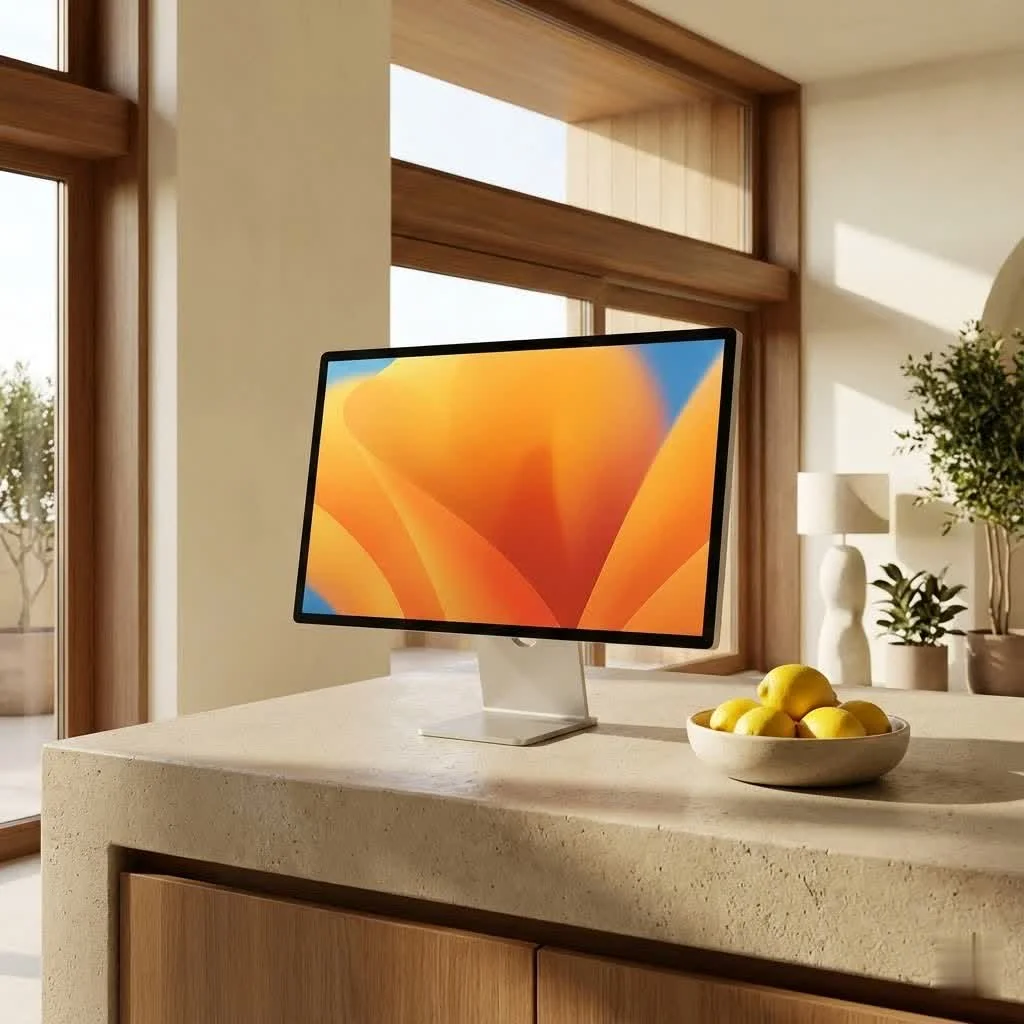
At its core, an ultrawide monitor is a display that offers a significantly broader aspect ratio than the conventional 16:9 standard found on most screens. While a typical monitor fits a rectangular 16 units wide for every 9 units high, ultrawide monitors stretch out to aspect ratios like 21:9 or even super ultrawide 32:9. Imagine taking a standard monitor and seamlessly adding more screen space to both sides – that’s the ultrawide difference. For browse all computer monitor articles on this site.
These monitors come in a variety of sizes, generally ranging from 29 inches to massive 49-inch or even 57-inch “super ultrawide” behemoths. Common resolutions include 3440×1440 (often referred to as WQHD) for 21:9 panels, and 5120×1440 for 32:9 models, offering incredible detail across their vast canvases. You’ll also notice that many ultrawide monitors feature a subtle or aggressive curve. This curvature isn’t just for aesthetics; it’s designed to wrap the display around your field of view, keeping every pixel at a more consistent distance from your eyes and enhancing the sense of immersion. As Dr. Anya Sharma, a renowned ergonomics and display technology expert at Sbinj.com, puts it, “The seamless canvas an ultrawide monitor provides isn’t just about more pixels; it’s about a fundamentally different way to interact with your digital world, reducing friction and enhancing focus.”
Why Go Ultrawide? Unpacking the Benefits
The appeal of an ultrawide monitor extends far beyond just “more screen.” It’s about a fundamentally different and often superior user experience across various applications.
Unparalleled Multitasking: Seamless Workflow
For productivity enthusiasts, an ultrawide computer monitor can be a game-changer. Instead of juggling multiple windows or constantly switching between tabs, you can have several applications open side-by-side on a single, continuous display. Imagine having your email on one side, a document editor in the middle, and a research browser on the other, all visible at a glance. This seamless canvas eliminates the disruptive bezels of a dual monitor setup, making it feel like a truly unified workspace. Professionals in fields like finance, graphic design, and coding benefit immensely, seeing more spreadsheet columns, longer timelines, or extended lines of code without endless scrolling.
Immersive Gaming Experience: A New Perspective
|
Our Picks for the Best Computer Monitor in 2026
As an Amazon Associate I earn from qualifying purchases.
|
||
| Num | Product | Action |
|---|---|---|
| 1 | Samsung 27\\\" Essential S3 (S36GD) Series FHD 1800R Curved Computer Monitor, 100Hz, Game Mode, Advanced Eye Comfort, HDMI and D-sub Ports, LS27D366GANXZA, 2024 |

|
| 2 | Philips New 27-inch Class Thin Full HD (1920 x 1080) 100Hz Monitor, VESA, HDMI x 1, VGA Port x1, Eye Care, 4 Year Advance Replacement Warranty, 271V8LB, Black |
|
| 3 | LG HDMI(2), DP, RS232C in/Out, RJ45 in,IR I |
|
| 4 | MAFNKOU Portable Monitor Touchscreen 14” 1920 * 1200P Gaming Display,Built-in Stand Speakers HDR IPS External Monitor for Laptop Portable,Travel Monitors for Laptop Mac PC Phone PS4/5 Xbox Switch |
|
| 5 | Samsung 27\\\" S3 (S32GF) FHD High Resolution 120Hz Monitor with IPS Panel, Flicker Free, Eye Saver Mode, LS27F320GANXZA, 2025 |
|
| 6 | Samsung 24” (S40GD) Borderless Business Monitor with IPS Panel, 100Hz Refresh Rate, Eye Saver Mode, Ergonomic Design, Game Picture Mode, LS24D402GANXGO, 3 Yr Warranty |
|
| 7 | acer 27 Inch Monitor- KB272-27 Inch FHD IPS (1920 x 1080) Display, Up to 120Hz Refresh Rate, 99% sRGB, Tilt, Adaptive-Sync Support (FreeSync Compatible) 1ms (VRB), HDMI & VGA Ports |
|
| 8 | Philips 221V8LB 22 inch Class Thin Full HD (1920 x 1080) Monitor, 100Hz Refresh Rate, VESA, HDMI x1, VGA x1, LowBlue Mode, Adaptive Sync, 4 Year Advance Replacement Warranty |
|
| 9 | Samsung 32-Inch Flat Computer Monitor, 75Hz, Borderless Display, AMD FreeSync, Game Mode, Advanced Eye Care, HDMI and DisplayPort, LS32B304NWNXGO, 2024 |
|
| 10 | Amazon Basics 24 Inch (23.8 inch viewable) Monitor, FHD 1080P, Max 100Hz, VESA Compatible, Built-in Speakers, Black |
|
If you’re a gamer, prepare to have your world expanded—literally. Ultrawide monitors offer a broader field of view in supported games, allowing you to see more of the battlefield, the race track, or the stunning landscapes of open-world titles. This panoramic perspective creates a far more immersive experience, pulling you deeper into the game world and even potentially offering a competitive edge by revealing enemies or details that would be outside a standard 16:9 view. Coupled with high refresh rates (144Hz, 240Hz, or higher) and lightning-fast response times (1ms or less), along with adaptive sync technologies like AMD FreeSync and NVIDIA G-Sync, ultrawide gaming is incredibly smooth and tear-free. Marcus “The Pixel Whisperer” Chen, lead product reviewer for Sbinj.com, remarks, “For serious gamers and creative professionals, the immersive field of view offered by a quality ultrawide isn’t just a luxury—it’s a game-changer that can genuinely boost both enjoyment and efficiency.”
Enhanced Content Creation: More Room to Create
For video editors, music producers, and graphic designers, an ultrawide monitor provides invaluable space. Video editing timelines can stretch out, showing more footage at once, making precision cuts and edits far easier. Music production software benefits from extended mixer views and instrument tracks, while graphic designers can work on large canvases with tool palettes neatly organized on the periphery, without obstructing their main workspace.
Cinematic Viewing: Full Screen, No Black Bars
Love watching movies? Many films are shot in cinematic aspect ratios that closely match the 21:9 format of an ultrawide monitor. This means you can watch your favorite blockbusters without those annoying black bars at the top and bottom of the screen, utilizing every inch of your display for a truly engrossing cinematic experience right at your desk.
Reduced Clutter & Streamlined Setup: Simplicity Wins
A single ultrawide monitor inherently means fewer cables, fewer power outlets, and less overall hardware clutter on your desk compared to a multi-monitor setup. This simplifies installation and management, giving your workspace a cleaner, more organized aesthetic. Adjusting settings for one display is also far simpler than synchronizing two or three separate screens.
Improved Ergonomics and Eye Comfort: A Gentle Curve
The curvature often found on ultrawide monitors helps maintain a more consistent viewing distance across the entire screen. This reduces the need for your eyes to constantly refocus as you scan from the center to the edges, potentially leading to less eye strain and fatigue during long work or gaming sessions. Higher resolutions also contribute by providing sharper text and images, minimizing squinting.
Ultrawide vs. Dual Monitors: Which Setup Reigns Supreme?
The debate between an ultrawide computer monitor and a dual monitor setup is a common one, and the “best” choice truly depends on your specific needs and workflow.
When Ultrawide Excels:
- Seamless Visuals: The biggest advantage is the continuous, uninterrupted screen space. There are no bezels breaking your line of sight, which is particularly beneficial for immersive gaming, video editing timelines, or extensive spreadsheets.
- Simplicity: One monitor means one power cable, one display cable, and easier configuration. It’s a cleaner, more minimalist setup.
- Cinematic Immersion: As mentioned, ultrawides are fantastic for movies.
When Dual Monitors Might Be Better:
- Dedicated Full-Screen Applications: If your workflow frequently requires one application to be truly full-screen while another runs alongside it, dual monitors offer clear separation. For example, a game maximized on one screen and Discord/browser on another.
- Vertical Orientation: Dual monitor setups offer flexibility in orientation. Many users prefer a secondary monitor in portrait mode for reading documents, coding, or browsing long web pages, which isn’t practical with a single ultrawide.
- Total Pixel Real Estate: Depending on the size and resolution of the individual monitors, two screens might offer more overall pixel area than a single ultrawide, though with the trade-off of the central bezel. For instance, two 27-inch 1440p monitors combined offer more pixels than a single 34-inch ultrawide 1440p monitor.
- Budget Flexibility: Sometimes, two smaller, more affordable monitors can provide comparable screen space to a single, high-end ultrawide at a lower price point.
Ultimately, if you prioritize a seamless, immersive, and aesthetically clean setup, an ultrawide is likely your champion. If your work demands strict application separation or flexible screen orientations, a dual monitor arrangement might be more suitable.
Choosing Your Perfect Ultrawide: Key Factors to Consider
Selecting the ideal ultrawide computer monitor can seem daunting with the array of options available. Here’s what to keep in mind:
Aspect Ratio and Size: Finding the Right Fit
- 21:9: The most common ultrawide aspect ratio, offering a significant horizontal boost over 16:9. Great for general productivity, gaming, and content creation. Sizes typically range from 29 to 38 inches.
- 32:9 (Super Ultrawide): Equivalent to two 16:9 monitors side-by-side without the bezel. Perfect for extreme multitasking or hyper-immersive gaming. These often come in 49-inch sizes, with some manufacturers pushing to 57 inches. Be sure you have the desk space!
Resolution: Balancing Clarity and Performance
Higher resolution means sharper images and more screen real estate.
- 3440×1440 (WQHD): Standard for 34-inch 21:9 ultrawides. Offers a great balance of clarity and performance, meaning your graphics card won’t struggle as much compared to higher resolutions.
- 5120×1440: Common for 49-inch 32:9 super ultrawides. Delivers incredible detail.
- 5120×2160 (5K2K): Found on larger 21:9 ultrawides (e.g., 40 inches), offering exceptional clarity but requiring a powerful graphics card to drive it, especially for gaming.
Panel Technology: The Heart of the Display
- IPS (In-Plane Switching): Known for excellent color accuracy, wide viewing angles, and good response times. A popular choice for creative professionals and general users.
- VA (Vertical Alignment): Offers superior contrast ratios and deeper blacks than IPS, making them great for media consumption and immersive gaming. Viewing angles and response times can sometimes be slightly less than IPS.
- OLED/QD-OLED: The pinnacle of image quality, delivering perfect blacks, infinite contrast, vibrant colors, and incredibly fast response times. These are premium options, often with higher price tags, but offer an unparalleled visual experience for gaming and content.
Refresh Rate & Response Time: Crucial for Smooth Visuals
- Refresh Rate (Hz): How many times per second the screen updates. Higher numbers (120Hz, 144Hz, 240Hz+) result in smoother motion, which is crucial for competitive gaming and can also make general desktop use feel more fluid.
- Response Time (ms): How quickly a pixel can change from one color to another. Lower numbers (1ms, 0.5ms) reduce motion blur and ghosting, a must-have for fast-paced gaming.
Curvature: Does it Matter for You?
While optional, a curved screen significantly enhances immersion by reducing perceived distortion at the edges and maintaining a consistent focal distance. Common curvatures are 1800R (a gentle curve) or more aggressive 1000R/800R curves on larger super ultrawides. For productivity, a gentler curve might be preferred, while gamers often enjoy a more aggressive one.
Connectivity & Features: The Modern Conveniences
Look for modern connectivity options like DisplayPort, HDMI, and especially USB-C with Power Delivery, which can charge your laptop while sending video and data over a single cable. Features like a built-in KVM switch (Keyboard, Video, Mouse) allow you to control multiple computers with one set of peripherals, a fantastic boost for professionals. HDR (High Dynamic Range) support can also dramatically improve contrast and color vibrancy.
Budget: Setting Realistic Expectations
Ultrawide monitors span a wide price range. While budget-friendly options can offer a great entry point, premium models with OLED panels, high refresh rates, and advanced features will naturally command a higher price. Determine your primary use case and set a budget that aligns with the features most important to you.
A Glimpse into the Future: What’s Next for Ultrawides?
The world of ultrawide monitors is constantly evolving. We’re seeing trends towards even larger screens, pushing the boundaries of aspect ratios and curvatures, alongside the rapid advancement of OLED and QD-OLED panel technologies. Innovations like bendable ultrawide displays are emerging, offering users the flexibility to switch between flat and curved profiles on demand. As computing needs become more diverse and immersive experiences are increasingly sought after, the ultrawide monitor is poised to remain at the forefront of display technology.
Conclusion
An ultrawide computer monitor isn’t just a bigger screen; it’s an opportunity to redefine your digital workspace and elevate your entertainment. Whether you’re a hardcore gamer seeking unparalleled immersion, a creative professional craving expansive timelines, or a multitasking wizard looking to streamline your workflow, there’s an ultrawide out there for you. By understanding the key specifications, weighing the benefits against alternatives, and considering your unique needs, you can confidently choose the perfect panoramic display to expand your horizon. Take the plunge, and experience the difference a truly expansive view can make!
Get our weekly buyer guide
Practical specs, not advice. Unsubscribe anytime.