Stepping into the world of computer monitors can feel like navigating a maze of technical jargon and endless options. But what if you could find a fantastic deal on a high-quality display right where you stock up on your bulk essentials? That’s where a Sam’s Club computer monitor comes into play. For years, Sam’s Club has been a go-to destination for members looking for value across a vast range of products, and their electronics section, particularly computer monitors, is no exception. Whether you’re a seasoned gamer, a work-from-home professional, a creative editor, or just looking for a solid everyday screen, Sam’s Club often surprises with its selection and competitive pricing.
Why Consider a Sam’s Club Computer Monitor?
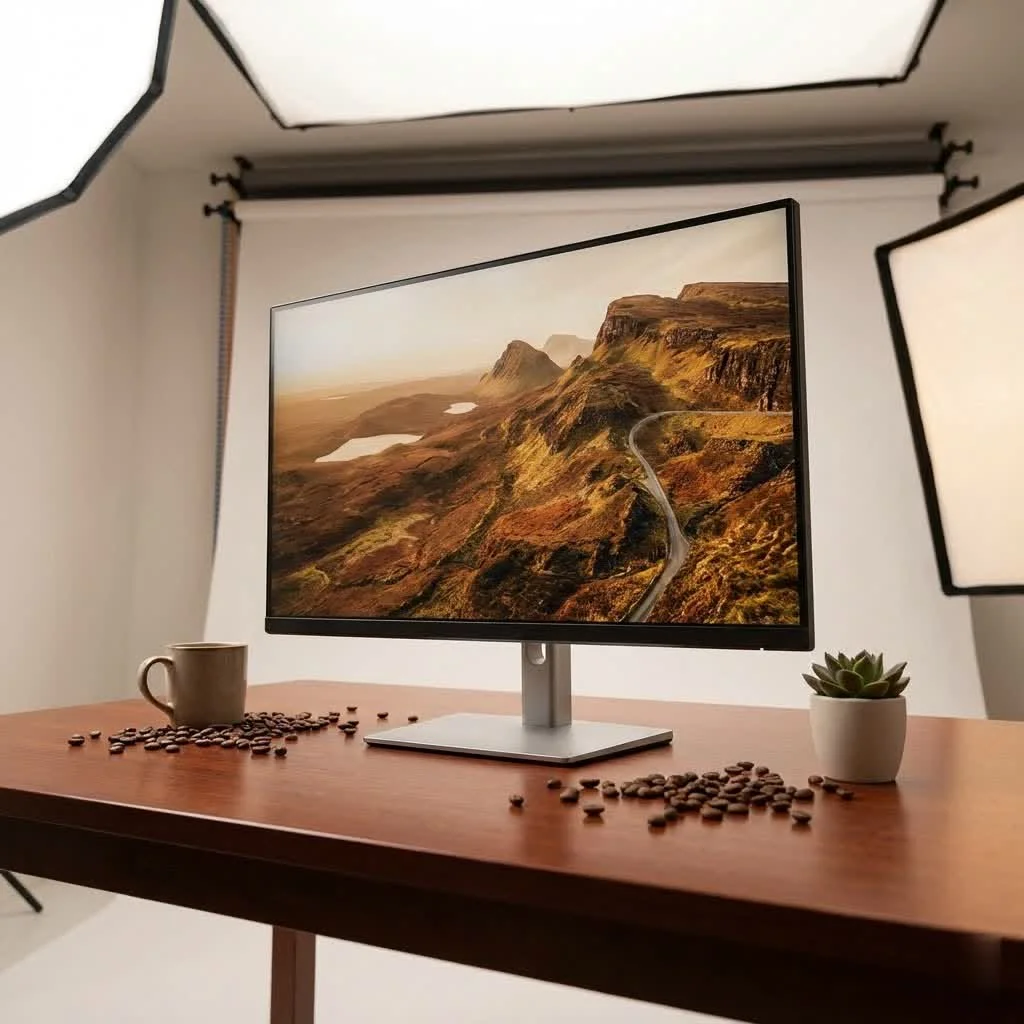
You might wonder if a warehouse club is the right place to find tech. The truth is, Sam’s Club leverages its buying power to offer a curated selection of computer monitors from reputable brands at member-exclusive prices. This means you can often snag popular models and newer technologies without breaking the bank. From impressive gaming displays to reliable workhorse monitors, they aim to cater to diverse needs, frequently featuring special “Instant Savings” and “Tech Savings” events that make these deals even sweeter.
What Brands and Types of Monitors Can You Expect?
Sam’s Club consistently stocks computer monitors from well-known manufacturers, ensuring a certain level of quality and reliability. You’ll commonly find displays from industry leaders like LG, Samsung, and MSI, known for their innovative technology and diverse product lines. Beyond these, the inventory can also include other emerging brands offering compelling features.
When it comes to types, the selection is broad:
- Standard Office Monitors: Ideal for daily productivity, browsing, and general use, often featuring Full HD resolution (1080p) and comfortable viewing sizes like 27-inch.
- Gaming Monitors: These are a significant focus, with models boasting high refresh rates (e.g., 144Hz, 170Hz, 240Hz, even 250Hz), fast response times (like 1ms), and often curved displays for an immersive experience. Brands like MSI and Samsung’s Odyssey series are frequently highlighted.
- Ultrawide and Curved Displays: For those seeking expansive screen real estate for multitasking or a more encompassing gaming view, Sam’s Club occasionally offers large, curved, or ultrawide options, including impressive 49-inch models.
- Portable Monitors: For on-the-go professionals or those needing a secondary screen for a laptop, compact portable monitors are also part of their offerings, often with FHD resolution and good refresh rates.
- High-Resolution Monitors: While 1080p is common, you’ll also find QHD (1440p) and 4K (Ultra HD) monitors, particularly from LG and Samsung, catering to users who prioritize crisp image quality for detailed work or media consumption.
“The beauty of Sam’s Club is that they cut through the noise, offering a streamlined selection of monitors that hit the sweet spot for value and performance,” says Clara Jensen, a veteran display engineer. “It’s an excellent starting point for anyone who wants a reliable monitor without getting overwhelmed.”
Getting Down to Specs: Resolution, Refresh Rate, and Panel Type
|
Our Picks for the Best Computer Monitor in 2026
As an Amazon Associate I earn from qualifying purchases.
|
||
| Num | Product | Action |
|---|---|---|
| 1 | Philips 221V8LB 22 inch Class Thin Full HD (1920 x 1080) Monitor, 100Hz Refresh Rate, VESA, HDMI x1, VGA x1, LowBlue Mode, Adaptive Sync, 4 Year Advance Replacement Warranty |

|
| 2 | LG HDMI(2), DP, RS232C in/Out, RJ45 in,IR I |
|
| 3 | Samsung 24” (S40GD) Borderless Business Monitor with IPS Panel, 100Hz Refresh Rate, Eye Saver Mode, Ergonomic Design, Game Picture Mode, LS24D402GANXGO, 3 Yr Warranty |
|
| 4 | MAFNKOU Portable Monitor Touchscreen 14” 1920 * 1200P Gaming Display,Built-in Stand Speakers HDR IPS External Monitor for Laptop Portable,Travel Monitors for Laptop Mac PC Phone PS4/5 Xbox Switch |
|
| 5 | Amazon Basics 24 Inch (23.8 inch viewable) Monitor, FHD 1080P, Max 100Hz, VESA Compatible, Built-in Speakers, Black |
|
| 6 | acer 27 Inch Monitor- KB272-27 Inch FHD IPS (1920 x 1080) Display, Up to 120Hz Refresh Rate, 99% sRGB, Tilt, Adaptive-Sync Support (FreeSync Compatible) 1ms (VRB), HDMI & VGA Ports |
|
| 7 | Philips New 27-inch Class Thin Full HD (1920 x 1080) 100Hz Monitor, VESA, HDMI x 1, VGA Port x1, Eye Care, 4 Year Advance Replacement Warranty, 271V8LB, Black |
|
| 8 | Samsung 27\\\" Essential S3 (S36GD) Series FHD 1800R Curved Computer Monitor, 100Hz, Game Mode, Advanced Eye Comfort, HDMI and D-sub Ports, LS27D366GANXZA, 2024 |
|
| 9 | Samsung 27\\\" S3 (S32GF) FHD High Resolution 120Hz Monitor with IPS Panel, Flicker Free, Eye Saver Mode, LS27F320GANXZA, 2025 |
|
| 10 | Samsung 32-Inch Flat Computer Monitor, 75Hz, Borderless Display, AMD FreeSync, Game Mode, Advanced Eye Care, HDMI and DisplayPort, LS32B304NWNXGO, 2024 |
|
When choosing a Sam’s Club computer monitor, understanding a few key specifications will help you make the best decision for your needs.
What is resolution and why does it matter?
Resolution refers to the number of pixels a monitor can display, typically expressed as width x height (e.g., 1920×1080 for Full HD). The higher the resolution, the sharper and more detailed the image will appear.
- Full HD (FHD / 1080p): Standard for most everyday tasks and gaming, especially on smaller screens (up to 27 inches). On larger monitors (32 inches and above), 1080p might appear less sharp or “pixelated” to some users.
- QHD (Quad HD / 1440p): Offers a significant upgrade in clarity over FHD, making it a sweet spot for many gamers and productivity users on 27-inch to 32-inch screens.
- 4K (Ultra HD): Provides incredibly crisp detail, ideal for professional photo/video editing, graphic design, and immersive media consumption.
How important is refresh rate?
The refresh rate, measured in Hertz (Hz), indicates how many times per second the screen refreshes its image. A higher refresh rate translates to smoother motion, which is particularly beneficial for fast-paced gaming.
- 60Hz: Standard for most general use and productivity monitors.
- 120Hz-170Hz: Excellent for responsive gaming, providing a noticeable improvement in fluidity.
- 240Hz+: Caters to competitive esports players who demand the absolute smoothest visuals possible.
What about panel types (IPS, VA, TN)?
While specific panel types might not always be explicitly highlighted in basic product descriptions, they significantly impact visual quality:
- IPS (In-Plane Switching): Known for excellent color accuracy and wide viewing angles, making them great for graphic design, photo editing, and general media consumption. Many Sam’s Club monitors, like certain Samsung and LG models, feature IPS panels.
- VA (Vertical Alignment): Offers superior contrast ratios, leading to deeper blacks and vibrant colors, which can be fantastic for movies and games with dark scenes. Curved monitors often use VA panels.
- TN (Twisted Nematic): Historically known for the fastest response times and higher refresh rates, but often at the cost of color accuracy and viewing angles. While less common in newer general-purpose monitors, they might still appear in some budget-friendly gaming options.
Maximizing Your Sam’s Club Monitor Experience
Purchasing a computer monitor from Sam’s Club is just the beginning. To truly optimize your experience, consider these aspects.
Setting Up Your New Monitor
Most modern monitors are “plug and play.” Simply connect the monitor to your computer using an HDMI or DisplayPort cable, plug it into power, and your operating system should detect it automatically. For dual monitor setups, Sam’s Club also offers dual monitor arms, allowing you to arrange screens side-by-side or stacked vertically for enhanced productivity.
Calibration for Optimal Visuals
While many users find default settings acceptable, calibrating your monitor can unlock its full visual potential. Professional colorists might suggest calibrating monthly, but for most users, doing it every few months or when you notice color inconsistencies is sufficient. Built-in operating system tools or third-party calibration software can guide you through this process to ensure accurate colors and brightness.
Accessories to Enhance Your Setup
Don’t forget the peripherals! Sam’s Club isn’t just about the monitor itself. You can find a range of computer accessories, including desk mounts for better ergonomics, office printers, and other essentials to complete your home office or gaming station.
Sam’s Club Member Benefits: Beyond the Purchase
One of the often-overlooked advantages of buying a Sam’s Club computer monitor is the peace of mind that comes with membership.
Return and Exchange Policy
Sam’s Club stands by its “Satisfaction Guarantee.” If you’re not 100% satisfied with your computer monitor purchase, they offer replacements or refunds. It’s always a good idea to check specific product pages or contact customer service for the most up-to-date details on return durations and conditions, but generally, their policy is very member-friendly.
Allstate Protection Plans
For added security, Sam’s Club offers optional Allstate Protection Plans. These plans can safeguard your computer monitor against accidental damage, malfunctions, and other unforeseen issues for several years, ensuring you get the most out of your investment. Coverage specifics depend on the chosen plan, so review them carefully.
Frequently Asked Questions About Sam’s Club Computer Monitors
Are Sam’s Club computer monitors good for gaming?
Absolutely! Sam’s Club frequently carries gaming-specific monitors from brands like MSI and Samsung Odyssey, featuring high refresh rates (144Hz, 240Hz, 250Hz), fast response times (1ms), and curved displays, all at competitive member prices.
Does Sam’s Club offer curved monitors?
Yes, curved monitors are a regular feature in Sam’s Club’s inventory, especially among their larger gaming and ultrawide selections from brands like LG, Samsung, and MSI.
Can I find 4K monitors at Sam’s Club?
Yes, Sam’s Club stocks 4K (Ultra HD) monitors, particularly from brands like LG and Samsung, catering to users who need high resolution for detailed work or superior media viewing.
What is the return policy for computer monitors at Sam’s Club?
Sam’s Club offers a “Satisfaction Guarantee,” allowing members to replace or refund computer monitor purchases if they are not 100% satisfied. It’s recommended to check product pages or customer service for specific details on duration and conditions.
Do Sam’s Club monitors usually come with built-in speakers?
While some monitors may include built-in speakers, many high-performance or value-oriented displays at Sam’s Club often do not. It’s best to check the product specifications for each model, and plan for external speakers or headphones if audio is a priority.
Are Sam’s Club computer monitor deals really worth it?
Many members find the deals at Sam’s Club highly competitive, especially during “Instant Savings” events. Comparing prices with other retailers for similar models often reveals significant savings, making them excellent value purchases.
Your Next Display Awaits at Sam’s Club
Choosing a new computer monitor doesn’t have to be a daunting task. Sam’s Club offers a compelling mix of popular brands, diverse features, and member-exclusive pricing, making it a smart choice for anyone seeking a quality display. From the lightning-fast refresh rates of a gaming monitor to the crisp clarity of a 4K display for creative work, the value proposition at Sam’s Club is clear. So, next time you’re planning a trip, take a moment to explore their electronics aisle – your ideal Sam’s Club computer monitor might just be waiting for you there. Discover the perfect screen to elevate your digital world and enjoy the satisfaction of a smart purchase!
Get our weekly buyer guide
Practical specs, not advice. Unsubscribe anytime.