In today’s fast-paced digital world, a clutter-free and highly flexible workspace isn’t just a luxury; it’s a necessity. Enter the bluetooth computer monitor, a seemingly futuristic device poised to transform how we interact with our screens. Imagine ditching tangled cables, enjoying pristine audio without extra speakers, and seamlessly switching between devices. While the term “bluetooth computer monitor” might conjure images of completely wireless video, the reality is even more practical, focusing on enhanced connectivity for audio and peripherals to create an incredibly streamlined setup. As a monitor expert with over a decade in the field and a content creator for Sbinj.com, I’m here to unpack what these monitors truly offer and how they can elevate your digital experience.
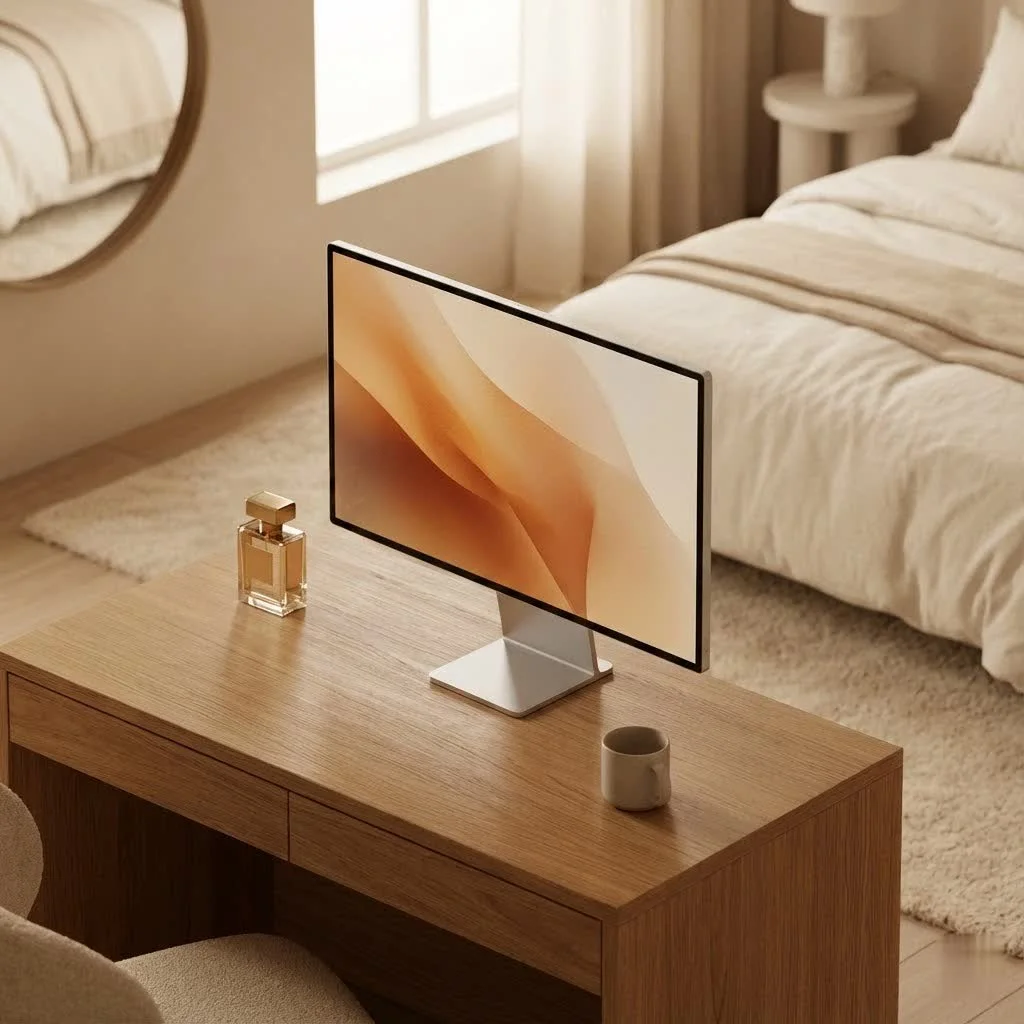
What Exactly is a Bluetooth Computer Monitor?
At its core, a bluetooth computer monitor is a display that integrates Bluetooth technology, much like your smartphone or tablet. However, it’s crucial to understand its primary function. Unlike Wi-Fi Direct or wireless HDMI, Bluetooth isn’t designed for high-bandwidth video transmission directly from your PC to the monitor. Instead, a monitor featuring Bluetooth primarily leverages this wireless standard for connecting a wide array of peripherals and enhancing its own smart capabilities.
Think of it as a smart hub for your desk. These monitors often come with integrated operating systems (like Samsung’s Tizen or LG’s webOS) and Wi-Fi, allowing them to function as standalone smart TVs or streaming devices. The Bluetooth component then steps in to connect wireless keyboards, mice, headphones, or speakers directly to the monitor itself. This means you can control your smart monitor experience or enjoy high-quality audio without needing cables running to your computer or monitor.
For instance, if you’re streaming a movie directly on your smart monitor, you can pair your Bluetooth headphones for a private listening experience. Or, if you’re using the monitor’s built-in apps, a Bluetooth keyboard and mouse offer seamless navigation. This distinction is vital: while some monitors are “wireless” for video via Wi-Fi protocols, a “bluetooth computer monitor” specifically refers to its ability to connect peripherals and audio wirelessly.
The Allure of Wireless Freedom: Key Benefits of Bluetooth Monitors
The advantages of embracing a bluetooth computer monitor extend far beyond simply cutting a cord or two. They fundamentally change the aesthetics, functionality, and flexibility of your workspace.
Clutter-Free Workspace
Let’s be honest, few things are as frustrating as a nest of cables behind your desk. A primary benefit of a bluetooth computer monitor is the dramatic reduction in cable clutter. By wirelessly connecting your mouse, keyboard, and even speakers directly to the monitor, you free up USB ports on your computer and eliminate unsightly wires. This creates a cleaner, more organized, and visually appealing workspace that can significantly boost your focus and productivity. It’s like Marie Kondo designed your desk setup.
Enhanced Portability & Flexibility
|
Our Picks for the Best Computer Monitor in 2026
As an Amazon Associate I earn from qualifying purchases.
|
||
| Num | Product | Action |
|---|---|---|
| 1 | LG HDMI(2), DP, RS232C in/Out, RJ45 in,IR I |

|
| 2 | MAFNKOU Portable Monitor Touchscreen 14” 1920 * 1200P Gaming Display,Built-in Stand Speakers HDR IPS External Monitor for Laptop Portable,Travel Monitors for Laptop Mac PC Phone PS4/5 Xbox Switch |
|
| 3 | Samsung 27\\\" S3 (S32GF) FHD High Resolution 120Hz Monitor with IPS Panel, Flicker Free, Eye Saver Mode, LS27F320GANXZA, 2025 |
|
| 4 | Philips 221V8LB 22 inch Class Thin Full HD (1920 x 1080) Monitor, 100Hz Refresh Rate, VESA, HDMI x1, VGA x1, LowBlue Mode, Adaptive Sync, 4 Year Advance Replacement Warranty |
|
| 5 | Samsung 32-Inch Flat Computer Monitor, 75Hz, Borderless Display, AMD FreeSync, Game Mode, Advanced Eye Care, HDMI and DisplayPort, LS32B304NWNXGO, 2024 |
|
| 6 | Philips New 27-inch Class Thin Full HD (1920 x 1080) 100Hz Monitor, VESA, HDMI x 1, VGA Port x1, Eye Care, 4 Year Advance Replacement Warranty, 271V8LB, Black |
|
| 7 | Amazon Basics 24 Inch (23.8 inch viewable) Monitor, FHD 1080P, Max 100Hz, VESA Compatible, Built-in Speakers, Black |
|
| 8 | Samsung 24” (S40GD) Borderless Business Monitor with IPS Panel, 100Hz Refresh Rate, Eye Saver Mode, Ergonomic Design, Game Picture Mode, LS24D402GANXGO, 3 Yr Warranty |
|
| 9 | Samsung 27\\\" Essential S3 (S36GD) Series FHD 1800R Curved Computer Monitor, 100Hz, Game Mode, Advanced Eye Comfort, HDMI and D-sub Ports, LS27D366GANXZA, 2024 |
|
| 10 | acer 27 Inch Monitor- KB272-27 Inch FHD IPS (1920 x 1080) Display, Up to 120Hz Refresh Rate, 99% sRGB, Tilt, Adaptive-Sync Support (FreeSync Compatible) 1ms (VRB), HDMI & VGA Ports |
|
Many monitors equipped with Bluetooth connectivity are also designed with portability in mind. These compact, lightweight displays are perfect for professionals on the go, students who frequently change study spots, or anyone needing an additional screen that can be easily moved. The absence of reliance on multiple cables makes setup and teardown a breeze, allowing you to establish a functional workstation almost anywhere. Whether it’s a co-working space, a coffee shop, or just a different room in your house, a portable bluetooth computer monitor offers unparalleled convenience.
Seamless Multi-Device Connectivity
Imagine a monitor that effortlessly switches between your laptop, tablet, and even your smartphone, allowing you to use a single set of wireless peripherals for all of them. Bluetooth monitors excel in this multi-device environment. You can pair your favorite Bluetooth keyboard and mouse once and use them with whichever device is currently displaying on the monitor, providing a truly unified and fluid user experience. This is especially beneficial for multitaskers who juggle different devices throughout their day.
Streamlined Smart Features and Audio
Modern bluetooth computer monitors often come loaded with smart features, acting as a bridge between your traditional computing needs and your entertainment demands. With built-in Wi-Fi and app support, they can stream content independently. The Bluetooth integration then allows for easy pairing with wireless headphones or external Bluetooth speakers, providing a superior audio experience without the need for additional wired connections. For those who enjoy an immersive soundscape while working or relaxing, this is a game-changer.
Aesthetic Appeal
Beyond functionality, the minimalist design afforded by fewer cables significantly enhances the aesthetic of any desk setup. A bluetooth computer monitor contributes to a sleek, modern, and professional look, transforming your workspace into an inviting and efficient environment. This clean aesthetic isn’t just for show; it often translates into a more calming and productive atmosphere.
Navigating the Nuances: Potential Drawbacks and Considerations
While the benefits are compelling, it’s also important to have a clear understanding of the limitations and considerations when choosing a bluetooth computer monitor. No technology is without its trade-offs.
Video Transmission Limitations
As mentioned, Bluetooth is generally not designed for the high-bandwidth video signals required to display your computer’s primary output. If your goal is to wirelessly project your PC’s main desktop to a monitor, you’ll typically need to look at solutions like Wi-Fi mirroring (e.g., Miracast, Chromecast) or dedicated wireless HDMI kits. Expecting a bluetooth computer monitor to simply “cast” your entire Windows or macOS desktop over Bluetooth will lead to disappointment. Bluetooth’s role here is supplementary, focusing on audio and control.
Potential Latency
Bluetooth technology has come a long way, but for tasks requiring absolute real-time responsiveness, like competitive gaming or professional video editing, even the slightest delay (latency) can be noticeable and detrimental. While casual use, streaming, and general productivity usually won’t suffer, professionals in sensitive fields should consider whether this minor lag is acceptable for their workflow. For critical tasks, a wired connection for primary input often remains the gold standard.
Cost Factor
Integrated wireless capabilities, especially in “smart monitor” formats, can sometimes lead to a higher price point compared to traditional wired monitors of similar display specifications. The inclusion of additional components like Bluetooth modules, Wi-Fi antennas, and often an internal operating system adds to the manufacturing cost, which is then passed on to the consumer. While the convenience might justify the investment for many, it’s a factor to consider for budget-conscious buyers.
Compatibility
While Bluetooth is a universal standard, specific profiles and versions can sometimes lead to minor compatibility quirks, especially with older devices. Always check the monitor’s specifications and user reviews to ensure it seamlessly integrates with your existing peripherals and operating systems. Most modern Bluetooth monitors utilize Bluetooth 4.0 or higher, offering robust compatibility with contemporary devices.
Beyond the Built-in: Adding Bluetooth to Any Monitor
What if your current monitor doesn’t boast built-in Bluetooth but you crave that wireless freedom for your audio or peripherals? Don’t fret! There are simple and effective workarounds.
Bluetooth Audio Transmitters
For wireless audio, a Bluetooth audio transmitter is your best friend. These small devices plug into your monitor’s 3.5mm audio output jack (if it has one) or your computer’s audio output. Once connected, they broadcast the audio signal via Bluetooth, allowing you to pair your wireless headphones or speakers for a cable-free listening experience. Look for transmitters that support low-latency codecs like aptX Low Latency for the best possible sync between audio and video.
USB Bluetooth Adapters
To connect Bluetooth keyboards, mice, or game controllers to your computer, a simple USB Bluetooth adapter can be plugged into an available USB port on your PC. Your computer will then gain full Bluetooth capabilities, allowing it to pair with a multitude of wireless peripherals. If your monitor has a built-in USB hub, you might be able to plug the adapter into the monitor, but the connection would still be routed to your PC for actual functionality. These adapters are inexpensive and provide an instant upgrade to your system’s wireless capabilities.
Is a Bluetooth Monitor Right for You? Making the Smart Choice
Deciding whether a bluetooth computer monitor is the right fit comes down to your individual needs, priorities, and workflow.
A Bluetooth monitor shines if you:
- Prioritize a clean, minimalist desk setup.
- Frequently use portable devices like laptops, tablets, or smartphones and want to streamline peripheral connectivity.
- Enjoy media consumption and streaming directly on your monitor, appreciating wireless audio output.
- Need flexibility in positioning your display or frequently move your setup.
- Value integrated smart features and app control for an all-in-one entertainment and productivity hub.
- Engage in casual gaming or tasks where minimal latency isn’t a critical concern.
You might prefer a traditional wired setup if you:
- Are a professional gamer or video editor where every millisecond of latency matters.
- Require maximum graphical fidelity and bandwidth for tasks like 3D rendering or high-refresh-rate competitive gaming (where wired video connections are superior).
- Are on a strict budget, as wired monitors often offer better price-to-performance ratios for sheer display quality.
“The real power of a bluetooth computer monitor lies not in replacing every wire, but in intelligently enhancing user convenience and interaction with the display itself,” says Dr. Evelyn Reed, a renowned technology analyst. “It’s about creating a more intuitive and adaptive digital environment, pushing boundaries on how we envision our primary screens.”
Expert Insights on the Future of Wireless Displays
The trajectory for displays, particularly the bluetooth computer monitor, is clearly moving towards greater integration and intelligence. As Bluetooth standards continue to evolve, offering lower latency, improved range, and higher bandwidth (like Bluetooth 5.x and beyond), we can expect these monitors to become even more versatile. Imagine seamless, low-latency wireless video transmission becoming a practical reality for everyday users, not just audio and peripherals.
Manufacturers are increasingly embedding powerful operating systems into monitors, transforming them into true smart hubs capable of running apps, streaming content, and managing smart home devices, all controlled by wireless peripherals. We might even see monitors become central command centers for entire smart ecosystems, with Bluetooth serving as a key communication backbone. The future promises a convergence where your monitor isn’t just a display, but an intelligent, highly connected gateway to your digital world, all without a spaghetti of cables.
Frequently Asked Questions
Can I connect my PC’s video to a Bluetooth monitor wirelessly?
Generally, no. Bluetooth technology is not designed for high-bandwidth video transmission from your PC to a monitor. For wireless video, you would typically use Wi-Fi-based solutions like Miracast, Chromecast, or dedicated wireless HDMI transmitters. Bluetooth in monitors primarily handles audio and peripheral connections.
What devices can I connect via Bluetooth to my monitor?
You can connect a variety of Bluetooth-enabled peripherals such as wireless keyboards, mice, game controllers, headphones, and external Bluetooth speakers directly to a bluetooth computer monitor that has built-in Bluetooth functionality.
Do Bluetooth monitors have built-in speakers?
Many smart monitors that include Bluetooth connectivity also feature built-in speakers. This allows you to route audio from internal apps or wirelessly connected devices directly through the monitor, further reducing cable clutter.
Is there input lag with Bluetooth monitors?
For tasks like connecting a keyboard or mouse, the latency with modern Bluetooth is typically negligible for most users. However, for demanding activities like competitive gaming or professional video editing where every millisecond counts, a very slight delay might be noticeable. For audio, newer Bluetooth codecs (like aptX Low Latency) aim to minimize lag.
Are Bluetooth monitors more expensive than wired monitors?
Typically, monitors with integrated Bluetooth and smart features can be more expensive than conventional wired monitors with comparable display specifications. This is due to the additional hardware and software required for wireless functionality and smart operating systems.
Do I need Wi-Fi for a Bluetooth monitor to function?
No, a bluetooth computer monitor does not strictly require a Wi-Fi connection for its Bluetooth features to work. Bluetooth operates independently of Wi-Fi for connecting peripherals and audio. However, many monitors with Bluetooth are also “smart monitors” that utilize Wi-Fi for internet-dependent features like streaming apps, web browsing, or firmware updates.
Conclusion
The bluetooth computer monitor represents a significant step forward in creating more efficient, aesthetically pleasing, and adaptable workspaces. While it might not wirelessly transmit your PC’s video (yet!), its strengths lie in simplifying your setup by cutting the cords for essential peripherals and enhancing your audio experience. From the sleek minimalist aesthetic to the sheer convenience of multi-device control, embracing a bluetooth computer monitor can truly elevate your daily interactions with technology. As wireless technologies continue to advance, we at Sbinj.com believe these smart, connected displays will only become more central to how we work, play, and create. It’s time to assess your needs, shed those unnecessary cables, and step into a more liberated computing experience.
Get our weekly buyer guide
Practical specs, not advice. Unsubscribe anytime.