Stepping into the world of 4K monitors is like upgrading from standard definition to a crystal-clear window into your digital life. With four times the pixels of Full HD (3840 x 2160 resolution), a 4K display transforms everything from immersive gaming worlds to intricate design projects and everyday productivity. If you’re wondering which is the best 4K computer monitor for your needs, you’ve come to the right place. At Sbinj.com, we believe that understanding the nuances of display technology empowers you to make a confident choice that truly elevates your experience.
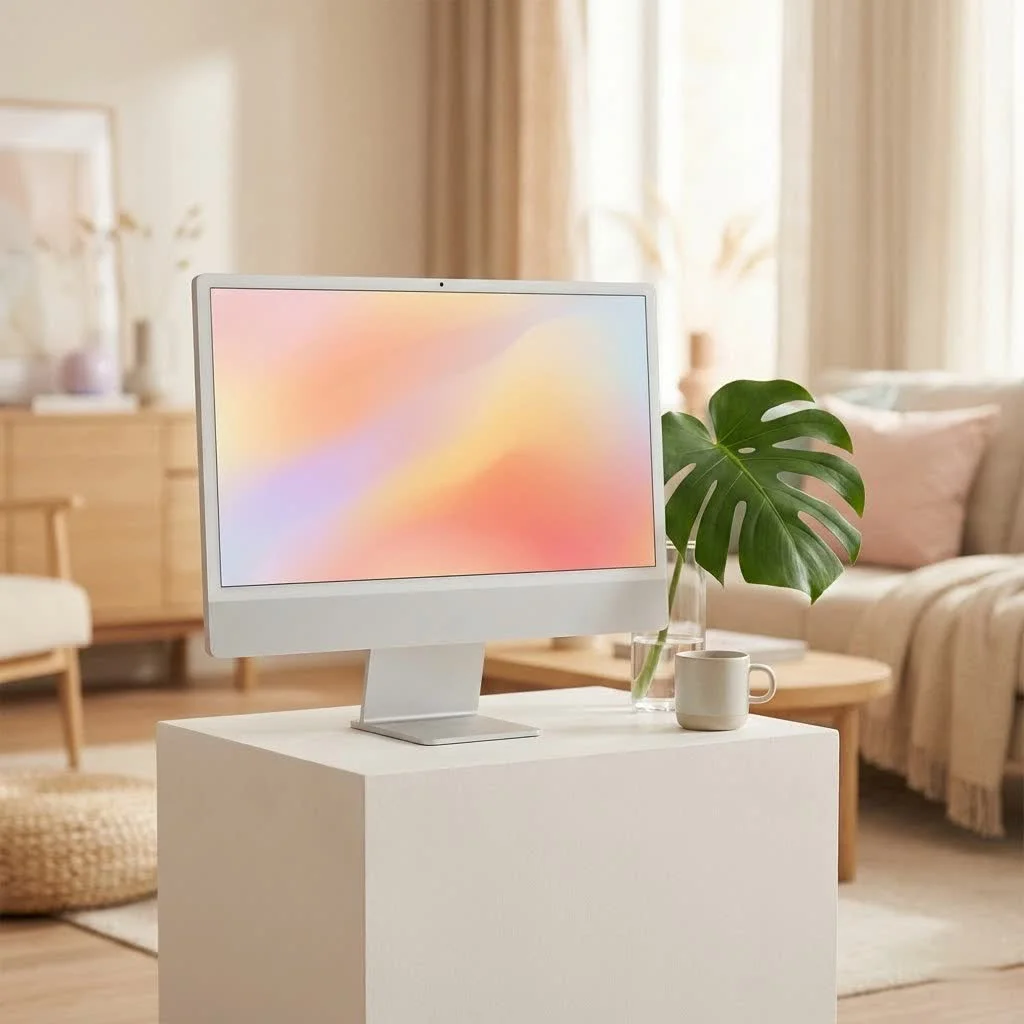
Why Upgrade to a 4K Monitor?
The leap to a 4K monitor isn’t just about higher numbers; it’s about a fundamentally superior visual and interactive experience. The benefits are immediately noticeable across various applications.
Unmatched Visual Clarity and Detail
Imagine working with an image where every tiny brushstroke is visible, or watching a movie where textures are rendered with breathtaking realism. That’s the power of a 4K monitor. The sheer pixel density means sharper text, more defined edges, and incredibly lifelike images. For photographers, videographers, and graphic designers, this level of detail is a game-changer, allowing for precision work that simply isn’t possible on lower-resolution screens.
Expanded Workspace for Productivity
Beyond visual fidelity, a 4K monitor offers a significantly larger “canvas” for your work. With more screen real estate, you can comfortably open multiple windows side-by-side without feeling cramped or constantly minimizing applications. It’s like having several monitors neatly integrated into one, making multitasking a breeze and boosting your workflow efficiency. Engineers, coders, and even casual users who juggle many tabs will find this an invaluable asset.
Immersive Entertainment
Whether you’re a hardcore gamer or a movie buff, a 4K monitor delivers an unparalleled entertainment experience. Games come alive with stunning graphics and intricate environments, while movies and TV shows display every scene with cinematic quality, deeper colors, and impressive clarity. The increased resolution and often superior panel technology pull you deeper into the content, making every viewing session more engaging.
Key Factors When Choosing Your Best 4K Computer Monitor
Navigating the vast array of 4K monitors can feel daunting, but focusing on a few key specifications tailored to your primary use will help you pinpoint the best 4K computer monitor for you.
Screen Size: Finding Your Sweet Spot
When it comes to 4K, size truly matters. While a 4K resolution can be packed into smaller screens, the benefits become most apparent on larger displays. Many experts consider 27-inch and 32-inch monitors to be the sweet spots for optimal 4K viewing. A 27-inch offers a sharp pixel density for comfortable viewing on a standard desk, while a 32-inch provides ample room for creative work or an even more immersive gaming experience. Going too large in a small space can lead to eye strain, so consider your viewing distance and available desk space carefully.
Panel Technology: IPS, VA, OLED, and Beyond
|
Our Picks for the Best Computer Monitor in 2026
As an Amazon Associate I earn from qualifying purchases.
|
||
| Num | Product | Action |
|---|---|---|
| 1 | Philips 221V8LB 22 inch Class Thin Full HD (1920 x 1080) Monitor, 100Hz Refresh Rate, VESA, HDMI x1, VGA x1, LowBlue Mode, Adaptive Sync, 4 Year Advance Replacement Warranty |

|
| 2 | LG HDMI(2), DP, RS232C in/Out, RJ45 in,IR I |
|
| 3 | Samsung 27\\\" Essential S3 (S36GD) Series FHD 1800R Curved Computer Monitor, 100Hz, Game Mode, Advanced Eye Comfort, HDMI and D-sub Ports, LS27D366GANXZA, 2024 |
|
| 4 | Philips New 27-inch Class Thin Full HD (1920 x 1080) 100Hz Monitor, VESA, HDMI x 1, VGA Port x1, Eye Care, 4 Year Advance Replacement Warranty, 271V8LB, Black |
|
| 5 | acer 27 Inch Monitor- KB272-27 Inch FHD IPS (1920 x 1080) Display, Up to 120Hz Refresh Rate, 99% sRGB, Tilt, Adaptive-Sync Support (FreeSync Compatible) 1ms (VRB), HDMI & VGA Ports |
|
| 6 | Samsung 32-Inch Flat Computer Monitor, 75Hz, Borderless Display, AMD FreeSync, Game Mode, Advanced Eye Care, HDMI and DisplayPort, LS32B304NWNXGO, 2024 |
|
| 7 | MAFNKOU Portable Monitor Touchscreen 14” 1920 * 1200P Gaming Display,Built-in Stand Speakers HDR IPS External Monitor for Laptop Portable,Travel Monitors for Laptop Mac PC Phone PS4/5 Xbox Switch |
|
| 8 | Samsung 24” (S40GD) Borderless Business Monitor with IPS Panel, 100Hz Refresh Rate, Eye Saver Mode, Ergonomic Design, Game Picture Mode, LS24D402GANXGO, 3 Yr Warranty |
|
| 9 | Samsung 27\\\" S3 (S32GF) FHD High Resolution 120Hz Monitor with IPS Panel, Flicker Free, Eye Saver Mode, LS27F320GANXZA, 2025 |
|
| 10 | Amazon Basics 24 Inch (23.8 inch viewable) Monitor, FHD 1080P, Max 100Hz, VESA Compatible, Built-in Speakers, Black |
|
The type of panel a monitor uses significantly impacts its performance characteristics, especially color accuracy, contrast, and viewing angles.
- IPS (In-Plane Switching): These panels are renowned for their exceptional color accuracy, wide viewing angles, and vibrant image quality. They are often the go-to choice for content creators, graphic designers, and anyone for whom precise color reproduction is critical.
- VA (Vertical Alignment): VA panels excel in delivering high contrast ratios and deep black levels, making them excellent for consuming media and gaming in darker environments. However, their viewing angles might be slightly narrower than IPS panels.
- OLED (Organic Light-Emitting Diode) & QD-OLED (Quantum Dot OLED): These are the premium kings of display technology. OLED monitors offer perfect blacks, infinite contrast, stunning colors, and incredibly fast response times because each pixel emits its own light. QD-OLED takes this further with an even wider color gamut and higher peak brightness. They are fantastic for HDR content and gaming, though they typically come with a higher price tag and require careful management to prevent potential burn-in from static images over prolonged periods.
- Mini LED: Offering a fantastic balance, Mini LED monitors feature thousands of tiny LEDs for backlighting, enabling excellent local dimming, very high brightness, and impressive contrast that rivals OLED in many scenarios, albeit with some minor “haloing” around bright objects on dark backgrounds.
Refresh Rate and Response Time: A Gamer’s Edge
For gamers, these two specifications are paramount.
- Refresh Rate: Measured in Hertz (Hz), the refresh rate indicates how many times per second the display updates its image. While 60Hz is perfectly adequate for general productivity and casual use, serious gamers will want 120Hz, 144Hz, or even 240Hz+ for buttery-smooth motion and a competitive edge. Higher refresh rates reduce motion blur, making fast-paced action feel incredibly fluid.
- Response Time: This measures how quickly pixels can change from one color to another. A low response time (e.g., 1ms or 4ms) is crucial for gaming to prevent ghosting and blur, ensuring sharp and clear images even during rapid movements.
Color Accuracy and HDR: For the Creative Professional
If your work involves photography, video editing, or graphic design, color accuracy is non-negotiable. Look for monitors that cover a wide color gamut (e.g., 100% sRGB, high Adobe RGB, or DCI-P3 coverage) and are factory-calibrated for precision.
HDR (High Dynamic Range) capabilities further enhance visual quality by expanding the range between the brightest whites and darkest blacks, resulting in more vibrant and lifelike images. Various HDR certifications (HDR400, HDR600, HDR1000) indicate different levels of peak brightness and overall HDR performance. For truly impactful HDR, especially in movies and games, aim for higher HDR tiers.
Connectivity: Ports That Matter
Modern 4K monitors come with a variety of ports to connect your devices.
- HDMI 2.1: Essential for console gamers (PS5, Xbox Series X) and PC users looking to experience 4K resolution at high refresh rates (120Hz and above).
- DisplayPort 1.4: The preferred connection for PC gaming at 4K high refresh rates, often offering higher bandwidth than HDMI 2.0.
- USB-C with Power Delivery: A versatile port perfect for laptop users, allowing video, data, and power delivery (charging your laptop) through a single cable, keeping your desk clutter-free. Many monitors also feature integrated USB hubs for connecting peripherals.
Ergonomics and Design: Comfort Meets Style
Spending hours in front of a monitor makes ergonomics incredibly important. Look for a stand that offers a full range of adjustments: height, tilt, swivel, and pivot. This allows you to position the screen optimally, reducing strain on your neck and eyes. Beyond functionality, a sleek, modern design with thin bezels can also enhance your workspace aesthetics.
Finding the Best 4K Computer Monitor for Your Needs
The “best” monitor isn’t universal; it’s the one that perfectly aligns with your specific activities and budget.
For Gaming Enthusiasts
If gaming is your passion, you’ll want a 4K monitor that prioritizes speed and immersion. Look for high refresh rates (120Hz, 144Hz, or 240Hz), low response times (1ms), and adaptive sync technologies like NVIDIA G-Sync or AMD FreeSync to eliminate screen tearing. OLED or QD-OLED panels are often hailed as the best for gaming due to their instant pixel response, perfect blacks, and vibrant HDR. The ASUS ROG Swift OLED PG27UCDM and Alienware AW3225QF are standout choices offering incredible performance and stunning visuals for the ultimate gaming experience.
For Creative Professionals
Precision and color accuracy are paramount for content creators. An IPS or OLED panel with excellent color gamut coverage (e.g., 100% sRGB, DCI-P3) and factory calibration is a must. A larger screen size, like a 32-inch, provides ample workspace for detailed editing. Features like USB-C with Power Delivery and KVM switches can streamline your workflow, especially if you use multiple devices. Monitors like the Dell UltraSharp 27 4K USB-C Hub Monitor (U2723QE) or the BenQ PD3225U DesignVue Designer Monitor are highly recommended for their professional-grade color performance and robust connectivity.
For Productivity and General Use
For everyday tasks, web browsing, and office work, a 4K monitor offers unparalleled clarity for text and improved multitasking capabilities. While high refresh rates aren’t strictly necessary, good ergonomics and sharp image quality are key. An IPS panel is generally preferred for its excellent viewing angles and crisp text. The Dell S2725QS offers a fantastic balance of features and value, providing a superb 4K experience for general use without breaking the bank.
Budget-Friendly 4K Options
While premium 4K monitors can be a significant investment, there are excellent budget-friendly options available that still deliver a great visual experience. These monitors often focus on core 4K resolution and solid image quality while potentially foregoing some high-end gaming features or extensive connectivity. When on a budget, prioritize the panel type and a comfortable screen size that fits your primary use case.
Expert Insight: What Truly Defines a Top-Tier 4K Monitor
“The essence of a truly exceptional 4K monitor lies not just in its pixel count, but in how those pixels work together to create an experience that transcends the technical specifications,” says Dr. Anya Sharma, lead display technologist at Sbinj Labs. “It’s about the synergy of vibrant color reproduction, lightning-fast response, and the ergonomic design that allows you to fully immerse yourself without fatigue. The best 4K computer monitor should feel like an extension of your creative vision or a seamless portal into your digital world.”
System Requirements: Powering Your 4K Experience
To fully enjoy the benefits of a 4K monitor, your computer needs to be up to the task.
- Graphics Card (GPU): A powerful graphics card is essential, especially for gaming or demanding creative applications at 4K resolution. Modern GPUs from NVIDIA (e.g., RTX 40 series) or AMD (e.g., RX 7000 series) are highly recommended. For basic productivity, a more modest GPU might suffice, but performance will be limited.
- Processor (CPU): A capable multi-core processor, such as an Intel i5 (current generation) or AMD Ryzen 5 equivalent or higher, ensures smooth operation and prevents bottlenecks.
- Random Access Memory (RAM): 16GB of RAM is generally recommended as a minimum for a smooth 4K experience, particularly when multitasking or running memory-intensive applications.
Frequently Asked Questions (FAQ)
What size is best for a 4K monitor?
While personal preference plays a role, 27-inch and 32-inch monitors are widely considered the ideal sizes for 4K resolution. They provide a high pixel density for sharp images and enough screen real estate to fully appreciate the detail.
Do I need a special graphics card for a 4K monitor?
Yes, for an optimal experience, especially for gaming or content creation, a powerful modern graphics card is highly recommended. Basic productivity might work with integrated graphics or an entry-level GPU, but performance will be limited.
Is 4K worth it for general use?
Absolutely! Even for general use like web browsing, document editing, and watching videos, 4K offers significantly sharper text, clearer images, and more screen space for multitasking, leading to a much more comfortable and productive experience.
What’s the difference between IPS and OLED 4K monitors?
IPS monitors offer excellent color accuracy and wide viewing angles, making them great for professional work. OLED monitors, on the other hand, provide perfect blacks, infinite contrast, and faster response times, delivering superior HDR performance and an ultimate visual experience, particularly for gaming and media.
Can a 4K monitor improve productivity?
Yes, significantly. A 4K monitor offers much more screen real estate than lower-resolution displays, allowing you to have multiple applications open and visible simultaneously without constantly switching windows, thereby streamlining your workflow and boosting efficiency.
Conclusion
Choosing the best 4K computer monitor is a pivotal decision that can profoundly impact your daily digital interactions. By understanding the core technologies and matching them to your unique needs—be it the lightning-fast reflexes demanded by gaming, the precise color fidelity required for creative work, or the expanded workspace for seamless productivity—you empower yourself to make a truly informed investment. The right 4K monitor isn’t just a display; it’s a window to enhanced clarity, deeper immersion, and greater efficiency. So, take the leap, explore the possibilities, and confidently select the best 4K computer monitor to elevate your setup. We’d love to hear about your experience and the monitor that became your perfect match!
Get our weekly buyer guide
Practical specs, not advice. Unsubscribe anytime.