An 8K computer monitor features a resolution of 7680 x 4320 pixels, totaling approximately 33 million pixels, which is four times the pixel count of a 4K display. This high pixel density delivers exceptional visual clarity and detail, making individual pixels virtually invisible to the naked eye. While offering unparalleled advantages for specific professional workflows, 8K monitors require significant GPU power and represent a premium investment, with native 8K content still relatively scarce.
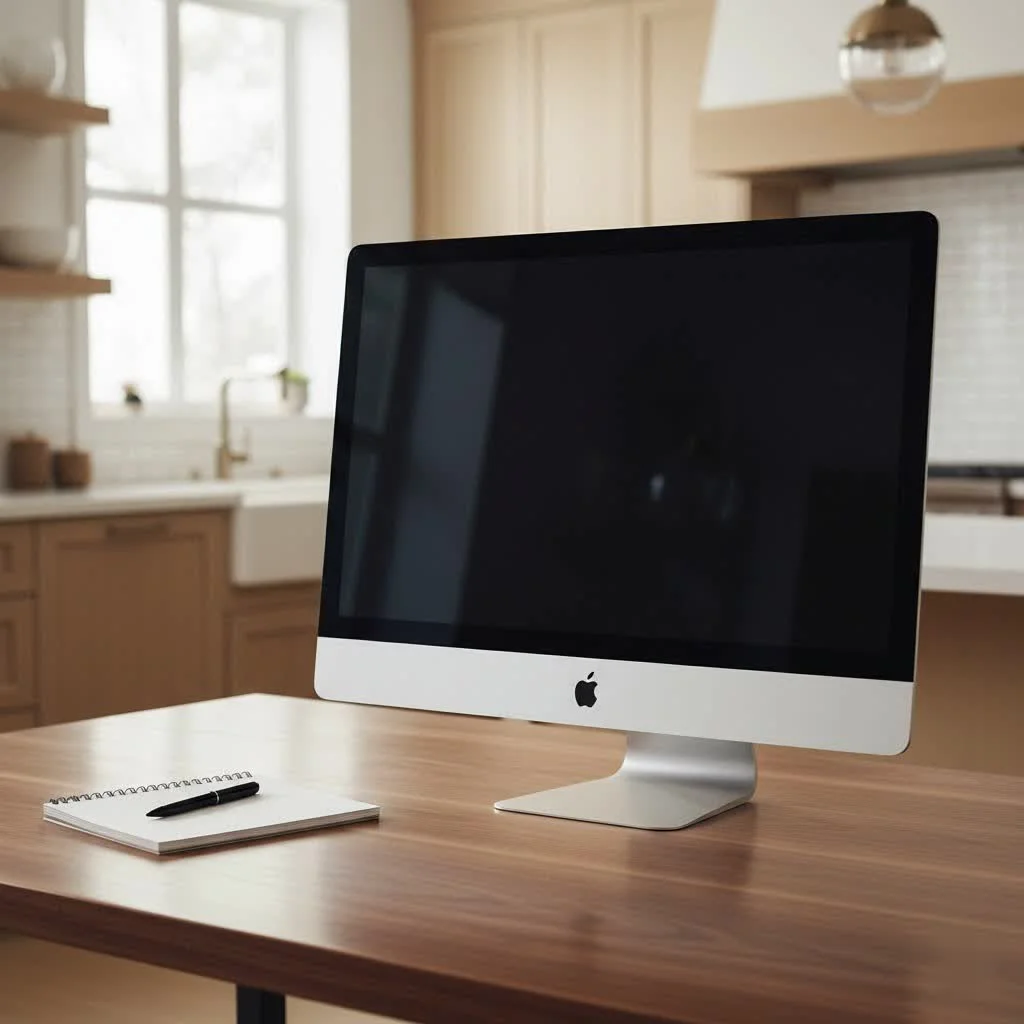
What Exactly is an 8K Computer Monitor?
At its core, an 8K computer monitor boasts a staggering resolution of 7680 x 4320 pixels. To put that into perspective, you’re looking at approximately 33 million individual pixels illuminating your screen. That’s four times the pixel count of a 4K (3840 x 2160) display and an incredible sixteen times that of a standard 1080p (Full HD) monitor. This massive jump in pixel density translates to an image so incredibly sharp and detailed that individual pixels virtually disappear to the naked eye. It’s like looking through a perfectly clean window, not at a screen.
The Unparalleled Advantages of 8K Monitors
When you bring an 8K computer monitor into your setup, you’re not just getting more pixels; you’re unlocking a host of advantages that can genuinely transform specific workflows.
Visual Clarity and Detail Beyond Compare
The most immediate and striking benefit of an 8K monitor is its phenomenal clarity. Every tiny detail in your images, text, and videos becomes astonishingly crisp and lifelike. For photographers, this means inspecting every nuance of a high-resolution RAW file without needing to zoom in repeatedly. Video editors can view 4K footage at native resolution while still having ample space for toolbars and timelines, or even preview 8K content in its full glory. It’s an immersive experience that brings your digital world closer to reality.
A Vast Digital Canvas for Professionals
Imagine a workspace where you can comfortably arrange four 4K windows side-by-side, each displayed with perfect clarity, all on a single screen. That’s the power of an 8K computer monitor. For programmers, this eliminates the visual discontinuity of bezels from a multi-monitor setup, allowing for seamless code review across expansive windows. Graphic designers can spread out complex layouts, and CAD users can examine intricate wireframe renderings with incredible precision, even when viewing multiple viewports simultaneously. This vast digital canvas significantly enhances productivity by minimizing the need for constant window switching and scrolling.
Exceptional Color Accuracy
Many 8K monitors are designed with professional-grade color accuracy in mind. They often support wide color gamuts, such as 100% Adobe RGB, 100% sRGB, 98% DCI-P3, and 100% Rec 709. This means you can trust that the colors you see on screen are true to life, which is absolutely critical for color-sensitive work like photo editing, video grading, and print design. Many premium 8K displays even come factory calibrated, ensuring out-of-the-box color fidelity.
Future-Proofing Your Setup
|
Our Picks for the Best Computer Monitor in 2026
As an Amazon Associate I earn from qualifying purchases.
|
||
| Num | Product | Action |
|---|---|---|
| 1 | MAFNKOU Portable Monitor Touchscreen 14” 1920 * 1200P Gaming Display,Built-in Stand Speakers HDR IPS External Monitor for Laptop Portable,Travel Monitors for Laptop Mac PC Phone PS4/5 Xbox Switch |

|
| 2 | LG HDMI(2), DP, RS232C in/Out, RJ45 in,IR I |
|
| 3 | Samsung 27\\\" S3 (S32GF) FHD High Resolution 120Hz Monitor with IPS Panel, Flicker Free, Eye Saver Mode, LS27F320GANXZA, 2025 |
|
| 4 | Philips 221V8LB 22 inch Class Thin Full HD (1920 x 1080) Monitor, 100Hz Refresh Rate, VESA, HDMI x1, VGA x1, LowBlue Mode, Adaptive Sync, 4 Year Advance Replacement Warranty |
|
| 5 | Amazon Basics 24 Inch (23.8 inch viewable) Monitor, FHD 1080P, Max 100Hz, VESA Compatible, Built-in Speakers, Black |
|
| 6 | Samsung 32-Inch Flat Computer Monitor, 75Hz, Borderless Display, AMD FreeSync, Game Mode, Advanced Eye Care, HDMI and DisplayPort, LS32B304NWNXGO, 2024 |
|
| 7 | Philips New 27-inch Class Thin Full HD (1920 x 1080) 100Hz Monitor, VESA, HDMI x 1, VGA Port x1, Eye Care, 4 Year Advance Replacement Warranty, 271V8LB, Black |
|
| 8 | Samsung 27\\\" Essential S3 (S36GD) Series FHD 1800R Curved Computer Monitor, 100Hz, Game Mode, Advanced Eye Comfort, HDMI and D-sub Ports, LS27D366GANXZA, 2024 |
|
| 9 | acer 27 Inch Monitor- KB272-27 Inch FHD IPS (1920 x 1080) Display, Up to 120Hz Refresh Rate, 99% sRGB, Tilt, Adaptive-Sync Support (FreeSync Compatible) 1ms (VRB), HDMI & VGA Ports |
|
| 10 | Samsung 24” (S40GD) Borderless Business Monitor with IPS Panel, 100Hz Refresh Rate, Eye Saver Mode, Ergonomic Design, Game Picture Mode, LS24D402GANXGO, 3 Yr Warranty |
|
While native 8K content might not be ubiquitous today, the market for 8K technology is growing steadily. By investing in an 8K computer monitor now, you’re effectively future-proofing your workstation. As more 8K content becomes available from streaming services, game developers, and content creators, you’ll be perfectly poised to enjoy it without needing another upgrade. It ensures your setup remains at the modern for years to come.
Navigating the Realities: Challenges and Considerations
As exciting as 8K computer monitors are, they come with a few caveats that are important to consider before making such a significant investment.
The Power Demands: Your GPU’s New Frontier
Driving 33 million pixels at a smooth refresh rate is no small feat. An 8K computer monitor demands serious horsepower from your graphics card. You’ll need a top-tier GPU with the latest connectivity, typically dual DisplayPort 1.4 cables or a single DisplayPort 2.1 or HDMI 2.1 connection, to achieve full resolution at acceptable refresh rates. For gaming, especially at high frame rates, current hardware can struggle, often resulting in lower FPS compared to 4K. As my colleague, hardware enthusiast Dr. Evelyn Reed, often quips, “An 8K monitor is a luxury, but a compatible GPU is a necessity.”
The Content Conundrum: Where’s the 8K?
One of the biggest hurdles for 8K adoption is the current scarcity of native 8K content. While some streaming platforms and specialty channels are beginning to offer limited 8K material, it’s still relatively rare compared to 4K or 1080p. Most content you’ll consume today will be upscaled, meaning the monitor’s processor stretches lower-resolution images to fit the 8K screen. While modern upscaling technology is impressive, it’s not the same as native 8K and won’t deliver the full benefit of those extra pixels.
The Price Tag: A Premium Investment
There’s no sugarcoating it: 8K computer monitors are a premium product, and their price reflects that. Not only is the monitor itself expensive, but the high-end graphics card and potentially other system upgrades needed to power it add to the overall cost. This makes an 8K setup a significant financial commitment.
Diminishing Returns for Everyday Use and Gaming
For typical everyday tasks like web browsing, email, or even watching most 4K content, the jump from 4K to 8K might not be as perceptibly dramatic on smaller screen sizes or at standard viewing distances. The human eye has its limits, and at a certain point, adding more pixels doesn’t necessarily translate into a noticeable improvement for everyone. For competitive gamers, prioritizing high refresh rates (120Hz, 144Hz, or higher) and low response times on 4K or even 1440p monitors often provides a greater competitive advantage than the sheer pixel count of 8K, which currently tends to have lower refresh rates.
Connectivity and Compatibility
Ensure your system has the necessary ports. Many 8K monitors, especially older models like the pioneering Dell UltraSharp UP3218K, require two DisplayPort 1.4 inputs to run at full 8K 60Hz. Newer GPUs and monitors are adopting DisplayPort 2.1 and HDMI 2.1, which can handle 8K with a single cable, simplifying setup. Without the right ports and capable cables, your monitor might default to a lower resolution.
Who Truly Benefits from an 8K Computer Monitor?
While not for everyone, an 8K computer monitor shines brightly for specific user groups who can genuinely leverage its immense capabilities.
Creative Professionals
If you’re a video editor working with high-resolution footage, a professional photographer needing to pixel-peep images, or a graphic designer creating intricate designs, an 8K computer monitor is a major upgrade. It allows you to view your work at a native resolution, manipulate tiny details with precision, and manage complex layouts without constant zooming or scrolling. The exceptional color accuracy of these displays is also invaluable for ensuring your creative vision translates perfectly.
Engineers and Researchers
For fields like CAD (Computer-Aided Design), GIS (Geographic Information Systems), or medical imaging, where extreme detail and precision are paramount, 8K offers a significant advantage. Engineers can inspect intricate blueprints, architects can visualize complex models, and medical professionals can analyze high-resolution scans with unprecedented clarity, potentially aiding in diagnostics and research.
Power Users and Multitaskers
If your workflow involves juggling multiple applications, data dashboards, or expansive timelines simultaneously, an 8K monitor provides an unparalleled digital workspace. Stock traders monitoring numerous charts, software developers with multiple code windows, or analysts sifting through vast datasets will find the sheer screen real estate incredibly liberating and efficient. It consolidates what might typically require several 4K monitors into one seamless viewing experience.
Top 8K Monitor Contenders (A Glimpse)
While the 8K monitor market is still maturing, a few standout models have paved the way and offer exceptional experiences:
- Dell UltraSharp UP3218K: Often considered the pioneer in consumer 8K, this 32-inch IPS monitor delivers stunning clarity and color accuracy, making it a favorite among professional creatives. It typically runs at 60Hz and requires dual DisplayPort 1.4 connections.
- Samsung Odyssey Neo G9 (57-inch): While technically a “dual 4K” ultrawide (7680×2160), its immense horizontal pixel count often places it in 8K discussions for its expansive screen real estate. With a 240Hz refresh rate and Mini LED backlight, it’s a beast for both productivity and immersive gaming.
- ASUS ProArt PA32KCX: This professional-grade 32-inch monitor stands out with its Mini LED backlight, capable of reaching a blinding 1200-nit peak brightness and offering exceptional HDR performance. It features a motorized colorimeter for effortless calibration and modern connectivity options like Thunderbolt 4, DisplayPort 2.1, and HDMI 2.1.
- Sharp 8M-B32C1: A specialized 32-inch IGZO 8K display, tuned for color-managed environments and demanding professional applications, particularly in broadcasting and post-production.
The Road Ahead: The Future of 8K Displays
The journey for 8K computer monitors is far from over; it’s just gaining momentum. Market analysis consistently points towards significant growth in the 8K technology sector in the coming years. This expansion is fueled by several factors:
- Increasing Accessibility: As manufacturing processes become more efficient, the cost of 8K panels is expected to decrease, making 8K monitors more accessible to a broader audience.
- Content Evolution: We’ll see a steady increase in native 8K content across various platforms, from cinematic productions and documentaries to video games and user-generated media.
- Technological Advancements: Further innovations in display technology, such as brighter panels, improved HDR, and more energy-efficient components, will continue to enhance the 8K experience. Expect to see advancements in AI-powered upscaling, making lower-resolution content look even better on 8K screens.
The future is bright, and it’s filled with pixels.
Frequently Asked Questions (FAQ)
Is an 8K monitor worth it for gaming?
For most gamers, a high-quality 4K monitor with a high refresh rate (120Hz+) still offers a better balance of visual fidelity and smooth performance than an 8K computer monitor. While 8K gaming is possible, it requires incredibly powerful and expensive hardware to maintain playable frame rates, and the visual difference from 4K might not be perceptible during fast-paced gameplay.
Do I need a special graphics card for an 8K monitor?
Absolutely. You will need a high-end graphics card (e.g., NVIDIA RTX 4080/4090 or AMD Radeon RX 7900 XT/XTX equivalents or newer) with DisplayPort 1.4 (often requiring two cables for 8K/60Hz) or, ideally, DisplayPort 2.1 or HDMI 2.1 for single-cable 8K output at higher refresh rates.
How much does an 8K monitor cost?
8K computer monitors are a premium product. Prices can range from a few thousand dollars for consumer-grade models to significantly more for professional reference displays. to factor in the cost of a capable graphics card as well.
Is 8K noticeably better than 4K?
The noticeable difference between 8K and 4K largely depends on screen size, viewing distance, and the content being displayed. On larger monitors (32 inches and up) viewed at a closer distance, especially with native 8K content, the increased clarity and detail can be striking. For smaller screens or casual viewing, the difference might be less apparent.
What connectivity ports does an 8K monitor require?
Most 8K computer monitors typically require dual DisplayPort 1.4 cables to achieve full 8K resolution at 60Hz. Newer high-end models, particularly those designed for faster refresh rates or single-cable solutions, may feature DisplayPort 2.1 or HDMI 2.1 ports. Ensure your graphics card supports these outputs.
The Ultimate Pixel Playground
Choosing an 8K computer monitor is a significant decision, one that places you at the forefront of display technology. While it demands a considerable investment in both the display and supporting hardware, the rewards are immense for those who truly need and can appreciate its capabilities. From professional creatives craving absolute pixel perfection to power users demanding an expansive, uninterrupted digital workspace, the 8K computer monitor delivers an experience unlike any other. At Sbinj.com, we believe that understanding these nuances empowers you to make the right choice for your unique needs. Embrace the future, embrace the detail, and redefine your digital landscape with 8K.
Frequently Asked Questions
Is an 8K monitor worth it for gaming?
For most gamers, a high-quality 4K monitor with a high refresh rate (120Hz+) offers a better balance of visual fidelity and smooth performance than an 8K computer monitor. 8K gaming requires powerful and expensive hardware to maintain playable frame rates, and the visual difference from 4K might not be perceptible during fast-paced gameplay.
Do I need a special graphics card for an 8K monitor?
Yes, you need a high-end graphics card, such as an NVIDIA RTX 4080/4090 or AMD Radeon RX 7900 XT/XTX or newer. These GPUs should have DisplayPort 1.4 (often requiring two cables for 8K/60Hz) or, ideally, DisplayPort 2.1 or HDMI 2.1 for single-cable 8K output at higher refresh rates.
How much does an 8K monitor typically cost?
8K computer monitors are a premium product, with prices ranging from a few thousand dollars for consumer models to significantly more for professional reference displays. It's important to also factor in the additional cost of a capable high-end graphics card needed to power it.
Is 8K noticeably better than 4K for general use?
The noticeable difference between 8K and 4K depends on screen size, viewing distance, and content. On larger monitors (32 inches and up) viewed closely with native 8K content, the increased clarity is striking. For smaller screens or casual viewing, the difference might be less apparent to the human eye.
What connectivity ports are required for an 8K monitor?
Most 8K computer monitors typically require dual DisplayPort 1.4 cables to achieve full 8K resolution at 60Hz. Newer high-end models, especially those supporting faster refresh rates or single-cable solutions, may feature DisplayPort 2.1 or HDMI 2.1 ports. Ensure your graphics card supports these outputs for optimal performance.
Get our weekly buyer guide
Practical specs, not advice. Unsubscribe anytime.

As a graphic designer, the pixel density of my new 8K monitor is fantastic. Individual pixels are virtually invisible, which makes working on intricate designs so much easier on the eyes. It’s a significant upgrade from my previous 1440p monitor, especially for large format prints.
I got an 8K display hoping to future-proof my setup, but I’m a bit underwhelmed by the lack of native 8K content. Most of what I watch or play is still 4K, so it feels like I’m not fully utilizing the 33 million pixels. Plus, my GPU is really struggling to keep up with some games at this resolution, which is a bummer.
I finally upgraded to an 8K monitor for my video editing work, and the difference is truly mind-blowing. The clarity for color grading and fine detail work is unparalleled. My old 4K felt good, but this is a whole new level of precision. Definitely worth the premium investment for professionals.
I was hesitant about the cost, but after seeing the 7680 x 4320 resolution in person, I was sold. For my architectural rendering projects, the detail is just incredible. It really helps me catch tiny imperfections before they become big problems. My productivity has definitely gone up.