The Acer Predator XB273K is the best Acer computer monitor for gaming, offering a 27-inch 4K UHD display with a 144Hz refresh rate and 1ms response time, making it ideal for immersive gameplay. Acer provides a diverse range of monitors, including the value-oriented Acer Nitro XV272U KVbmiiprzx and the ultrawide Acer Predator X34 GS, to meet various gaming needs and budgets.
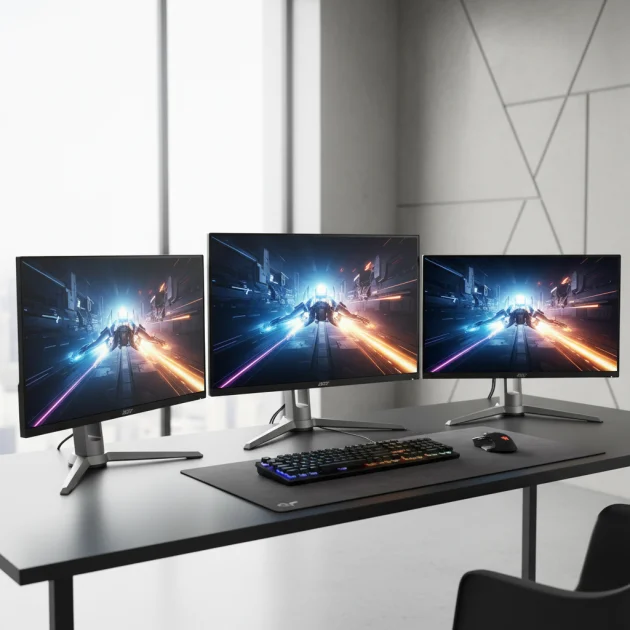
Quick Comparison
| Model | Screen Size | Resolution | Refresh Rate | Response Time |
|---|---|---|---|---|
| Acer Predator XB273K | 27 inches | 3840×2160 | 144Hz | 1ms (VRB) |
| Acer Nitro XV272U KVbmiiprzx | 27 inches | 2560×1440 | 170Hz | 1ms (VRB) |
| Acer Predator X34 GS | 34 inches | 3440×1440 | 180Hz | 0.5ms (GtG) |
What Gaming Needs from a Computer Monitor
Optimal gaming performance requires specific monitor features. A high refresh rate, typically 144Hz or higher, ensures smoother motion and reduced input lag, which is critical for fast-paced games. A low response time, ideally 1ms, minimizes ghosting and motion blur, making on-screen action appear sharper. Resolution is also key; 1080p is standard, but 1440p or 4K offers greater detail, especially on larger screens. Panel type (IPS, VA, or TN) influences color accuracy, viewing angles, and response times. IPS panels offer excellent colors and wide viewing angles, while TN panels provide the fastest response times. VA panels balance strong contrast with good overall performance. Adaptive sync technologies like NVIDIA G-Sync or AMD FreeSync are vital for eliminating screen tearing and stuttering by synchronizing the monitor’s refresh rate with the GPU’s frame output. Ergonomics, including tilt, swivel, pivot, and height adjustments, enhance comfort during long gaming sessions. Connectivity options like HDMI and DisplayPort are also important for compatibility with various gaming systems.
Detailed Reviews
Acer Predator XB273K
The Acer Predator XB273K is a premium 27-inch gaming monitor designed for enthusiasts seeking high-fidelity visuals. It features a 4K UHD (3840×2160) resolution, delivering incredibly sharp images and intricate details. With a 144Hz refresh rate and a 1ms Visual Response Boost (VRB), it provides fluid motion and minimizes ghosting, crucial for competitive gaming. The IPS panel ensures vibrant colors and wide viewing angles, making games look spectacular from almost any perspective. It supports NVIDIA G-Sync Compatible technology, eliminating screen tearing and stuttering for a smooth gaming experience. The monitor also boasts VESA DisplayHDR 400 certification, enhancing contrast and color depth. Its ergonomic stand allows for tilt, swivel, pivot, and height adjustments, ensuring comfortable viewing during extended play. Connectivity includes DisplayPort 1.4 and HDMI 2.0 ports, offering versatility for various devices. The Acer Predator XB273K is an excellent choice for gamers who prioritize visual quality and responsive performance.
Acer Nitro XV272U KVbmiiprzx
The Acer Nitro XV272U KVbmiiprzx offers an exceptional balance of performance and value. This 27-inch monitor features a QHD (2560×1440) resolution, providing a significant clarity upgrade over 1080p without the demanding GPU requirements of 4K. Its impressive 170Hz refresh rate and 1ms VRB response time ensure smooth, blur-free gameplay, giving players a competitive edge. The IPS panel delivers accurate colors and wide viewing angles, enhancing the visual experience across all game genres. AMD FreeSync Premium technology is integrated, preventing screen tearing and stuttering by synchronizing the monitor’s refresh rate with compatible graphics cards. The monitor also includes HDR 400 support for improved contrast and brightness. Its ergonomic design allows for extensive adjustments, including height, tilt, swivel, and pivot, promoting comfortable use. With DisplayPort 1.2 and HDMI 2.0 connectivity, the Acer Nitro XV272U KVbmiiprzx is a versatile and high-performing option for a wide range of gaming setups.
Acer Predator X34 GS
The Acer Predator X34 GS is an ultrawide gaming monitor designed for immersive experiences and multitasking. This 34-inch curved IPS display features a UWQHD (3440×1440) resolution, offering an expansive field of view that pulls players deeper into their games. Its high 180Hz refresh rate and ultra-fast 0.5ms GtG response time ensure incredibly smooth and responsive gameplay, minimizing motion blur and ghosting. The IPS panel provides stunning color accuracy and wide viewing angles, making every scene vibrant and lifelike. NVIDIA G-Sync Compatible technology is included, synchronizing the monitor’s refresh rate with your GPU to eliminate screen tearing and stuttering. The curved design enhances immersion, wrapping the action around the user. It also supports VESA DisplayHDR 400, delivering improved contrast and brightness for a more dynamic visual experience. The ergonomic stand offers tilt, swivel, and height adjustments for optimal viewing comfort. With multiple DisplayPort and HDMI inputs, the Acer Predator X34 GS is a premium choice for gamers seeking an expansive and high-performance ultrawide setup.
Routine Fit
Acer gaming monitors fit seamlessly into various gaming routines, whether you are a casual player, a competitive esports enthusiast, or a content creator. For casual gamers, models like the Acer Nitro XV272U KVbmiiprzx offer excellent performance and visual quality without breaking the bank, perfect for enjoying single-player adventures or online multiplayer with friends. Competitive players will benefit from the high refresh rates and low response times found in monitors like the Acer Predator XB273K, providing the responsiveness needed for fast-paced titles. Content creators who also game will appreciate the color accuracy and higher resolutions of Acer’s IPS panels, which are crucial for both creative work and immersive gaming. The ergonomic designs across many Acer models ensure comfort during long sessions, making them suitable for daily use. Acer monitors are designed to enhance any gaming setup, providing reliable performance and visual fidelity.
FAQs
What refresh rate is best for gaming on an Acer monitor?
For gaming, a refresh rate of 144Hz or higher is generally considered best on an Acer monitor. This provides significantly smoother motion compared to standard 60Hz monitors, which is particularly noticeable in fast-paced games like first-person shooters or racing titles. Higher refresh rates reduce input lag and make on-screen action appear more fluid, giving players a competitive advantage. While 60Hz is acceptable for casual gaming, serious gamers should aim for at least 144Hz, with 170Hz or 180Hz offering even greater fluidity for the most demanding titles.
Do Acer gaming monitors support adaptive sync technologies?
Yes, many Acer gaming monitors support adaptive sync technologies. Acer offers models compatible with both NVIDIA G-Sync and AMD FreeSync. G-Sync Compatible monitors work with NVIDIA graphics cards to eliminate screen tearing and stuttering, while FreeSync monitors do the same for AMD graphics cards. Some Acer monitors are also certified for G-Sync Ultimate or FreeSync Premium Pro, offering enhanced features like HDR support. Always check the specific model’s specifications to confirm which adaptive sync technology it supports and ensure compatibility with your graphics card.
What is the difference between Acer Predator and Acer Nitro monitors?
Acer Predator and Acer Nitro are Acer’s two primary gaming monitor lines, each targeting different segments of the gaming market. Acer Predator monitors are generally considered the premium line, offering top-tier performance, advanced features, and higher price points. They often include higher refresh rates, lower response times, superior panel technology, and robust ergonomic designs. Acer Nitro monitors, on the other hand, are designed to offer excellent gaming performance at a more accessible price point. They still provide strong features like high refresh rates and low response times but may have slightly fewer premium features or less advanced panel technology compared to Predator models. Both lines deliver quality gaming experiences, but Predator caters to enthusiasts seeking the absolute best, while Nitro offers great value.
Is a curved Acer monitor better for gaming?
Whether a curved Acer monitor is better for gaming depends on personal preference and the type of games you play. Curved monitors, especially ultrawide models like the Acer Predator X34 GS, can enhance immersion by wrapping the game world around your peripheral vision, making the experience feel more encompassing. This can be particularly beneficial for simulation games, racing games, and open-world titles. However, for competitive esports where every pixel needs to be precisely tracked, some players prefer flat screens to avoid any potential distortion at the edges. Curved monitors can also reduce eye strain by maintaining a more consistent focal distance across the screen. Ultimately, the choice between curved and flat comes down to individual comfort and gaming style.
What resolution should I choose for an Acer gaming monitor?
The ideal resolution for an Acer gaming monitor depends on your graphics card’s capabilities and your personal preferences. 1080p (Full HD) is a common and less demanding resolution, suitable for most graphics cards and competitive gaming where high frame rates are prioritized. 1440p (QHD) offers a significant step up in visual clarity and detail without being as graphically intensive as 4K, making it a popular choice for many gamers. 4K (UHD) provides the sharpest images and most intricate details, ideal for immersive single-player games and content creation, but it requires a powerful graphics card to maintain high frame rates. Consider your GPU’s power and the types of games you play when selecting a resolution.
Verdict
Choosing the best Acer computer monitor for gaming involves balancing performance, features, and budget. The Acer Predator XB273K stands out as a top-tier option for those seeking uncompromised 4K gaming with high refresh rates and excellent color. For gamers looking for a strong performance-to-value ratio, the Acer Nitro XV272U KVbmiiprzx offers superb QHD gaming. Meanwhile, the Acer Predator X34 GS provides an incredibly immersive ultrawide experience. Each of these Acer monitors delivers specific advantages, ensuring that gamers can find a model perfectly suited to their individual needs, enhancing their overall gaming setup with reliable performance and visual quality.
Frequently Asked Questions
What refresh rate is best for gaming on an Acer monitor?
For gaming on an Acer monitor, a refresh rate of 144Hz or higher is generally considered best. This provides significantly smoother motion and reduces input lag, which is particularly noticeable in fast-paced games. While 60Hz is acceptable for casual gaming, serious gamers should aim for at least 144Hz, with 170Hz or 180Hz offering even greater fluidity.
Do Acer gaming monitors support adaptive sync technologies?
Yes, many Acer gaming monitors support adaptive sync technologies, including both NVIDIA G-Sync and AMD FreeSync. G-Sync Compatible monitors work with NVIDIA graphics cards, while FreeSync monitors are compatible with AMD graphics cards, both eliminating screen tearing and stuttering. Always check the specific model's specifications to confirm compatibility with your graphics card.
What is the difference between Acer Predator and Acer Nitro monitors?
Acer Predator monitors are Acer's premium gaming line, offering top-tier performance, advanced features, and higher price points, often with superior panel technology and robust ergonomics. Acer Nitro monitors provide excellent gaming performance at a more accessible price point, still featuring high refresh rates and low response times but with fewer premium features than Predator models. Both lines deliver quality gaming experiences.
Is a curved Acer monitor better for gaming?
Whether a curved Acer monitor is better for gaming depends on personal preference and game type. Curved monitors, like the Acer Predator X34 GS, can enhance immersion by wrapping the game world around your peripheral vision, beneficial for simulation and open-world games. However, competitive esports players might prefer flat screens to avoid potential distortion, and curved monitors can also reduce eye strain.
What resolution should I choose for an Acer gaming monitor?
The ideal resolution for an Acer gaming monitor depends on your graphics card's capabilities and preferences. 1080p (Full HD) is common for high frame rates, 1440p (QHD) offers a significant clarity upgrade without being as graphically intensive as 4K, and 4K (UHD) provides the sharpest images but requires a powerful graphics card. Consider your GPU and game types when choosing.
Get our weekly buyer guide
Practical specs, not advice. Unsubscribe anytime.

I finally upgraded to the Acer Predator XB273K and it’s been a game-changer. The 4K UHD at 144Hz is just incredible for immersive gameplay, especially with open-world titles. Everything looks so crisp and smooth, no more tearing or stuttering. Definitely worth the investment if you’re serious about your gaming experience.
The Acer Predator X34 GS is exactly what I needed for my setup. That ultrawide aspect ratio really pulls you into the game, and the 0.5ms response time is no joke. I play a lot of competitive shooters and every millisecond counts. It’s a beast of a monitor and I couldn’t be happier with how it performs.
I was on the fence about getting a high refresh rate monitor, but after trying the Acer Predator XB273K, I get it now. The 1ms response time really does make a difference in fast-paced games, reducing ghosting significantly. My only minor gripe is the stand takes up a bit more desk space than I expected, but that’s a small trade-off for the performance.
I picked up the Acer Nitro XV272U KVbmiiprzx because it seemed like a good value option. The 170Hz refresh rate is nice for the price, but I’ve noticed a bit of backlight bleed in the corners during dark scenes. It’s not a deal-breaker, but it’s definitely noticeable if you’re looking for it. Still, for everyday gaming, it’s pretty solid.