Choosing the perfect 32-inch computer monitor involves balancing resolution, panel technology, and refresh rate to match your specific needs, whether for gaming, professional productivity, or creative work. For most users, a 32-inch 4K (3840×2160) display offers optimal sharpness and screen real estate, while a 1440p (2560×1440) resolution provides a strong balance of clarity and performance, especially for gamers. Understanding these core specifications ensures you select a monitor that significantly enhances your digital experience.
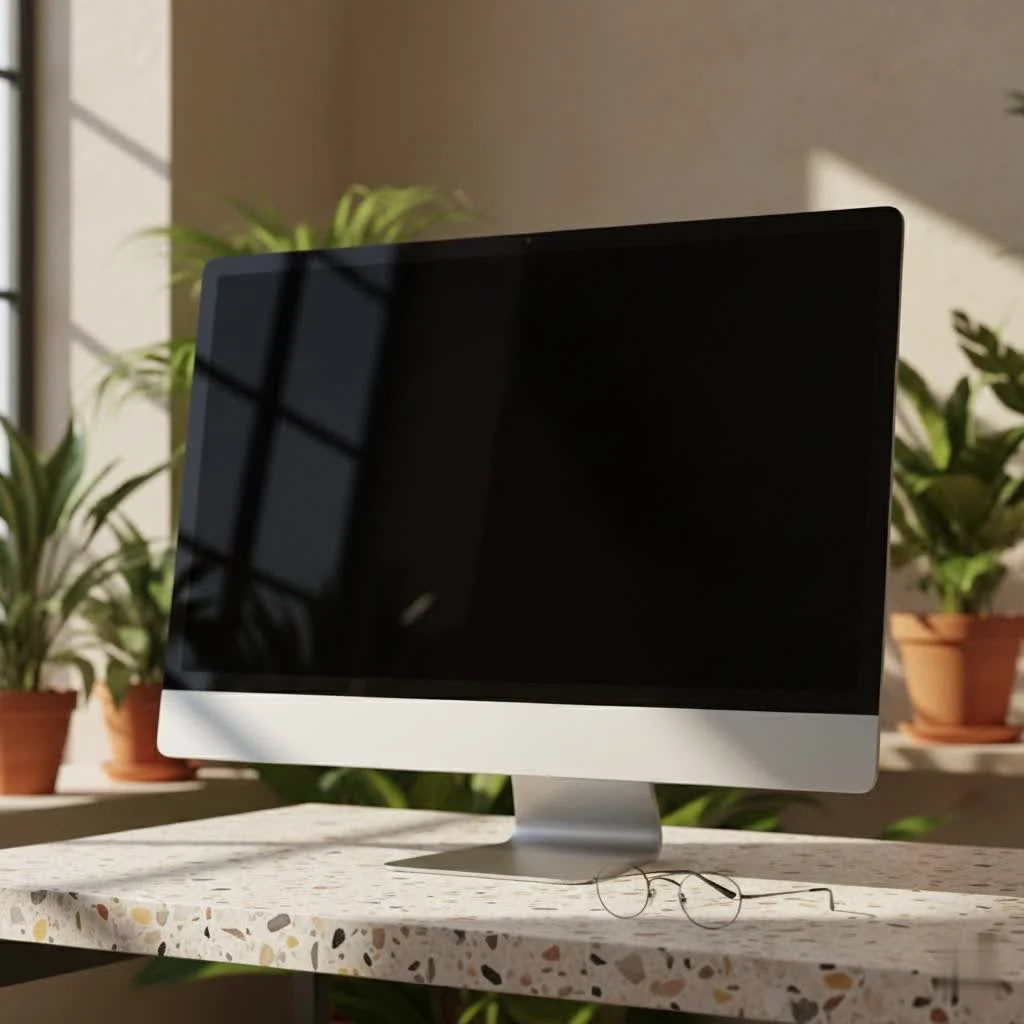
Why Go Big? The Benefits of a 32-Inch Monitor
Moving up to a 32-inch monitor isn’t just about having a bigger screen; it’s about unlocking a new level of interaction with your digital world. The sheer size brings several compelling advantages:
- Enhanced Multitasking: A 32-inch monitor provides generous screen space, allowing you to comfortably manage several applications simultaneously, vastly improving workflow for everything from complex spreadsheets to video editing timelines.
- Immersive Gaming & Media Consumption: For gamers, the expansive view of a 32-inch display pulls you deeper into virtual worlds, making every detail pop. For movie buffs and content streamers, it’s like having a mini-cinema right at your desk, delivering a more engaging and cinematic experience.
- Reduced Eye Strain (with Proper Resolution): Counterintuitively, a larger monitor with the right resolution can actually reduce eye strain. With more screen real estate, you can often maintain comfortable text sizes and reduce the need to constantly scroll or zoom, allowing your eyes to work less.
Key Specifications to Master for Your 32-Inch Display
Choosing a 32-inch monitor means delving into technical specifications that directly impact your experience. Understanding these core elements is crucial to making the best choice.
Resolution: The Pixel Power Play (1440p vs. 4K)
Resolution dictates the sharpness and detail of your image. For a 32-inch computer monitor, your primary choices will be 1440p and 4K.
- Why 1080p Often Falls Short at 32 Inches: While 1080p (Full HD) is common on smaller screens, stretching it across a 32-inch panel results in a noticeably low pixel-per-inch (PPI) density. This can make text and images appear pixelated and less sharp, which isn’t ideal for typical desktop use. Unless you’re viewing from a significant distance or exclusively using it for specific console gaming or video playback where pixelation is less noticeable, we generally recommend stepping up.
- 1440p (QHD): The Balanced Sweet Spot: A 32-inch 1440p (2560×1440) monitor offers a fantastic balance of sharpness and performance. It provides a significant boost in clarity over 1080p, making text crisp and images detailed without being as graphically demanding as 4K. This resolution is particularly popular among gamers who want high refresh rates without needing top-tier graphics cards.
- 4K (UHD): Ultimate Sharpness for Productivity and Content Creation: For those who demand the absolute best in visual fidelity, a 32-inch 4K (3840×2160) monitor is unparalleled. The ultra-high resolution delivers stunningly sharp images, making it perfect for professional tasks like graphic design, video editing, and working with intricate documents where every pixel counts. While phenomenal for gaming, driving games at 4K resolution with high refresh rates requires a very powerful graphics card.
|
Our Picks for the Best Computer Monitor in 2026
As an Amazon Associate I earn from qualifying purchases.
|
||
| Num | Product | Action |
|---|---|---|
| 1 | LG HDMI(2), DP, RS232C in/Out, RJ45 in,IR I |

|
| 2 | Samsung 24” (S40GD) Borderless Business Monitor with IPS Panel, 100Hz Refresh Rate, Eye Saver Mode, Ergonomic Design, Game Picture Mode, LS24D402GANXGO, 3 Yr Warranty |
|
| 3 | Samsung 27\\\" Essential S3 (S36GD) Series FHD 1800R Curved Computer Monitor, 100Hz, Game Mode, Advanced Eye Comfort, HDMI and D-sub Ports, LS27D366GANXZA, 2024 |
|
| 4 | MAFNKOU Portable Monitor Touchscreen 14” 1920 * 1200P Gaming Display,Built-in Stand Speakers HDR IPS External Monitor for Laptop Portable,Travel Monitors for Laptop Mac PC Phone PS4/5 Xbox Switch |
|
| 5 | acer 27 Inch Monitor- KB272-27 Inch FHD IPS (1920 x 1080) Display, Up to 120Hz Refresh Rate, 99% sRGB, Tilt, Adaptive-Sync Support (FreeSync Compatible) 1ms (VRB), HDMI & VGA Ports |
|
| 6 | Samsung 32-Inch Flat Computer Monitor, 75Hz, Borderless Display, AMD FreeSync, Game Mode, Advanced Eye Care, HDMI and DisplayPort, LS32B304NWNXGO, 2024 |
|
| 7 | Samsung 27\\\" S3 (S32GF) FHD High Resolution 120Hz Monitor with IPS Panel, Flicker Free, Eye Saver Mode, LS27F320GANXZA, 2025 |
|
| 8 | Philips New 27-inch Class Thin Full HD (1920 x 1080) 100Hz Monitor, VESA, HDMI x 1, VGA Port x1, Eye Care, 4 Year Advance Replacement Warranty, 271V8LB, Black |
|
| 9 | Philips 221V8LB 22 inch Class Thin Full HD (1920 x 1080) Monitor, 100Hz Refresh Rate, VESA, HDMI x1, VGA x1, LowBlue Mode, Adaptive Sync, 4 Year Advance Replacement Warranty |
|
| 10 | Amazon Basics 24 Inch (23.8 inch viewable) Monitor, FHD 1080P, Max 100Hz, VESA Compatible, Built-in Speakers, Black |
|
Panel Technology: IPS, VA, and the OLED Revolution
The type of panel technology used in your 32-inch monitor significantly affects color reproduction, contrast, and viewing angles.
- IPS (In-Plane Switching): IPS panels are renowned for their excellent color accuracy and wide viewing angles, meaning colors remain consistent even when viewed from the side. This makes them a favorite for creative professionals and anyone who values visual precision.
- VA (Vertical Alignment): VA panels offer superior contrast ratios compared to IPS, leading to deeper blacks and more vibrant colors, which is great for immersive media consumption and often found in curved monitors. While viewing angles are generally good, they might not be as wide as IPS.
- OLED (Organic Light-Emitting Diode): The premium choice, OLED displays deliver individual pixel illumination, resulting in true blacks, infinite contrast, and spectacular HDR performance. They also boast near-instant response times. However, OLED 32-inch monitors are typically the most expensive and require careful consideration regarding burn-in risks, though modern advancements have significantly mitigated this.
Refresh Rate & Response Time: The Speed You Need
These specs are particularly important for gamers and anyone seeking smooth, fluid visuals.
- Refresh Rate (Hz): Measured in Hertz, the refresh rate indicates how many times per second the monitor can update its image. A standard 60Hz monitor is fine for general productivity, but a 32-inch gaming monitor truly shines with a 144Hz, 165Hz, 240Hz, or even higher refresh rate. Higher refresh rates translate to smoother motion and a more responsive feel, which is a game-changer in fast-paced action.
- Response Time (ms): This refers to how quickly pixels can change color. A low response time (e.g., 1ms or less) is critical for gaming to minimize motion blur and “ghosting,” where trails appear behind moving objects. OLED monitors offer near-instantaneous response times, leading to incredibly crisp motion.
Connectivity: Plugging into Your Potential
Modern 32-inch monitors offer a range of ports to connect to your devices.
- HDMI & DisplayPort: HDMI is a universal standard, while DisplayPort often provides higher bandwidth, making it ideal for high refresh rates and resolutions (like 4K 144Hz).
- USB-C (Power Delivery, Data, Video): A USB-C port is a powerful addition, allowing you to connect a laptop with a single cable for video, data transfer, and even power delivery, decluttering your workspace and simplifying your setup.
- Additional Ports: Look for USB-A ports for peripherals, and sometimes older standards like DVI or VGA, though these are less common on newer 32-inch models.
HDR: Realism or Marketing Gimmick?
High Dynamic Range (HDR) promises more vibrant colors and starker contrast, bringing images closer to real-world visual perception.
- When HDR Truly Shines: For HDR to be truly impactful, the monitor needs to have excellent local dimming capabilities and a high peak brightness, which is typically found in OLED or Mini-LED displays. These technologies can deliver the deep blacks and bright highlights necessary for a truly stunning HDR experience.
- Setting Realistic Expectations: Many budget monitors claim HDR support, but without the underlying panel technology to back it up, the effect can be underwhelming. Don’t expect a transformative HDR experience unless you invest in a premium 32-inch display designed for it.
Tailoring Your 32-Inch Monitor to Your Lifestyle
The “best” 32-inch monitor is highly personal. Let’s break down what to prioritize based on your primary use case.
For the Avid Gamer
If gaming is your passion, a 32-inch computer monitor offers an expansive, immersive field of view. Prioritize:
- High Refresh Rate (144Hz+): Essential for smooth gameplay, especially in competitive titles.
- Low Response Time (1ms or less): Reduces motion blur and input lag.
- Adaptive Sync (FreeSync/G-Sync): Synchronizes the monitor’s refresh rate with your GPU’s frame rate, eliminating screen tearing and stuttering.
- Resolution: 1440p is a fantastic balance for performance and visuals, while 4K provides stunning detail if your graphics card can handle it.
- Panel Type: VA for deep blacks and immersion, IPS for vibrant colors, or OLED for the ultimate premium gaming experience.
For the Productivity Pro
For professionals who spend hours working, a 32-inch display can be a productivity powerhouse. Prioritize:
- 4K Resolution: The incredible sharpness makes text crystal clear and allows for more screen real estate to fit multiple windows without scaling issues.
- IPS Panel: Offers wide viewing angles and excellent color accuracy, crucial for tasks requiring visual precision.
- Ergonomic Stand: Look for height, tilt, swivel, and pivot adjustments to maintain a comfortable posture throughout your workday. VESA mount compatibility is also a plus for monitor arms.
- USB-C Connectivity: Simplifies cable management and integration with laptops.
For Creative Minds
Designers, photographers, and video editors need a 32-inch monitor that can faithfully reproduce colors and provide ample workspace. Prioritize:
- 4K Resolution: Critical for viewing and editing fine details in high-resolution media.
- IPS or OLED Panel: Both offer exceptional color accuracy and wide viewing angles. OLED provides superior contrast and true blacks, which can be invaluable.
- Wide Color Gamut Support: Look for monitors that cover a high percentage of sRGB, DCI-P3, or Adobe RGB color spaces for accurate color representation.
- Factory Calibration: Ensures out-of-the-box color accuracy.
On a Budget
While 32-inch monitors generally cost more than their smaller counterparts, you can find good value. Be prepared for some trade-offs:
- You might sacrifice a higher refresh rate for a good resolution, or vice versa.
- Panel types might lean towards VA for better contrast at a lower price point.
- Advanced features like true HDR or extensive USB-C hubs might be limited. Focus on core specs that matter most to your primary use.
Expert Insights for an Optimal Setup
Choosing the right 32-inch monitor is only half the battle; integrating it into an optimal setup is equally important. “A 32-inch monitor is a powerful tool, but its true potential is unlocked when you pair it with the right resolution and ensure your graphics hardware can keep up,” advises Alex Peterson, a veteran monitor technology analyst at Sbinj.com. “Don’t skimp on ergonomics; a fully adjustable stand or a quality monitor arm will transform your long-term comfort.”
Remember to match your monitor’s capabilities with your computer’s hardware, especially your graphics processing unit (GPU). A high-resolution, high-refresh-rate 32-inch monitor will underperform if your GPU can’t drive it effectively.
Frequently Asked Questions (FAQ)
Is a 32-inch monitor too big for a desk?
For most desks, a 32-inch monitor is a comfortable fit, especially when paired with a good monitor arm. Its size offers significant screen real estate without feeling overwhelming for typical viewing distances, though personal preference varies.
What’s the best resolution for a 32-inch monitor?
For a 32-inch monitor, 4K (3840×2160) is generally considered the optimal resolution for sharpness and detail, particularly for productivity and content creation. 1440p (2560×1440) is an excellent alternative, offering a balance of clarity and performance, especially for gaming.
Can I use a 32-inch monitor for both work and gaming?
Absolutely! Many 32-inch monitors are designed as versatile powerhouses. Look for models that offer a good 4K resolution (for work) and a high refresh rate (120Hz+) with adaptive sync (for gaming) to cover both scenarios effectively.
Do 32-inch monitors cause eye strain?
Not inherently. While a larger screen might seem daunting, a 32-inch monitor with the correct resolution and proper viewing distance can actually reduce eye strain by allowing for larger text and less scrolling. Ensure your monitor has features like blue light filters and flicker-free technology for added comfort.
What’s the difference between a curved and flat 32-inch monitor?
A curved 32-inch monitor is designed to provide a more immersive experience, especially for gaming and media, by wrapping the edges slightly closer to your peripheral vision. A flat monitor offers a traditional viewing experience, often preferred for tasks like graphic design where straight lines are critical.
Conclusion
Choosing the ideal 32-inch computer monitor is an investment in your digital future, offering unparalleled immersion and productivity. By focusing on key specifications like resolution, panel type, refresh rate, and connectivity, and matching them to your unique needs—whether you’re conquering virtual worlds, crunching numbers, or creating digital masterpieces—you can unlock a truly superior visual experience. At Sbinj.com, our mission is to empower you with the knowledge to make these decisions confidently. So, dive in, explore the possibilities, and elevate your setup with the perfect 32-inch display.
Frequently Asked Questions
- Is a 32-inch monitor too big for a typical desk setup?
- For most desks, a 32-inch monitor is a comfortable fit, especially when paired with a good monitor arm. Its size offers significant screen real estate without feeling overwhelming for typical viewing distances, though personal preference varies. Many users find the increased screen space beneficial for multitasking.
- What is the optimal resolution for a 32-inch display?
- For a 32-inch monitor, 4K (3840x2160) is generally considered the optimal resolution for sharpness and detail, particularly for productivity and content creation. 1440p (2560x1440) is an excellent alternative, offering a balance of clarity and performance, especially for gaming, and is less demanding on your graphics card.
- Can a 32-inch monitor be effectively used for both work and gaming?
- Absolutely! Many 32-inch monitors are designed as versatile powerhouses. Look for models that offer a good 4K resolution (for work) and a high refresh rate (120Hz+) with adaptive sync (for gaming) to cover both scenarios effectively. This combination provides crisp visuals for professional tasks and smooth motion for gaming.
- Do larger 32-inch monitors contribute to increased eye strain?
- Not inherently. While a larger screen might seem daunting, a 32-inch monitor with the correct resolution and proper viewing distance can actually reduce eye strain by allowing for larger text and less scrolling. Ensure your monitor has features like blue light filters and flicker-free technology for added comfort during long sessions.
- What are the key differences between curved and flat 32-inch monitors?
- A curved 32-inch monitor is designed to provide a more immersive experience, especially for gaming and media, by wrapping the edges slightly closer to your peripheral vision. A flat monitor offers a traditional viewing experience, often preferred for tasks like graphic design where straight lines are critical and distortion needs to be minimized.

I picked up a 32-inch 1440p monitor specifically for gaming, and I’m really happy with the performance. The refresh rate is smooth, and the larger screen makes immersion so much better. I considered 4K, but for competitive gaming, the 1440p resolution offered a better balance of clarity and frame rates with my current GPU. It’s a solid choice if you’re looking for a big screen without breaking the bank on a top-tier graphics card.
I got a 32-inch monitor for productivity, and while the enhanced multitasking is great, I found the panel technology on my specific model to be a bit lacking. The viewing angles aren’t as wide as I’d hoped, which means colors shift slightly if I’m not sitting perfectly centered. It’s not a dealbreaker, but something to consider if you’re particular about color consistency across the whole screen.
My old monitor felt so tiny after switching to a 32-inch display. I use it for a mix of work and casual browsing, and the sheer size really does unlock a new level of interaction. Having several applications open side-by-side without constantly alt-tabbing has boosted my workflow significantly. It’s amazing how much more comfortable everything feels on such a large canvas.
I finally upgraded to a 32-inch 4K monitor for my video editing work, and it’s been a game changer. The screen real estate is incredible for having multiple timelines and preview windows open without feeling cramped. The sharpness of the 4K resolution really makes a difference when I’m scrutinizing details in my footage. Definitely worth the investment for creative professionals.