A 30-inch ultrawide monitor is an excellent choice for users seeking a balance between immersive entertainment and enhanced productivity, offering a 21:9 aspect ratio and typically a 2560×1080 (WFHD) resolution. This size provides significantly more horizontal screen space than traditional 16:9 monitors, making it ideal for multitasking, gaming, and cinematic viewing without the need for a dual-monitor setup.
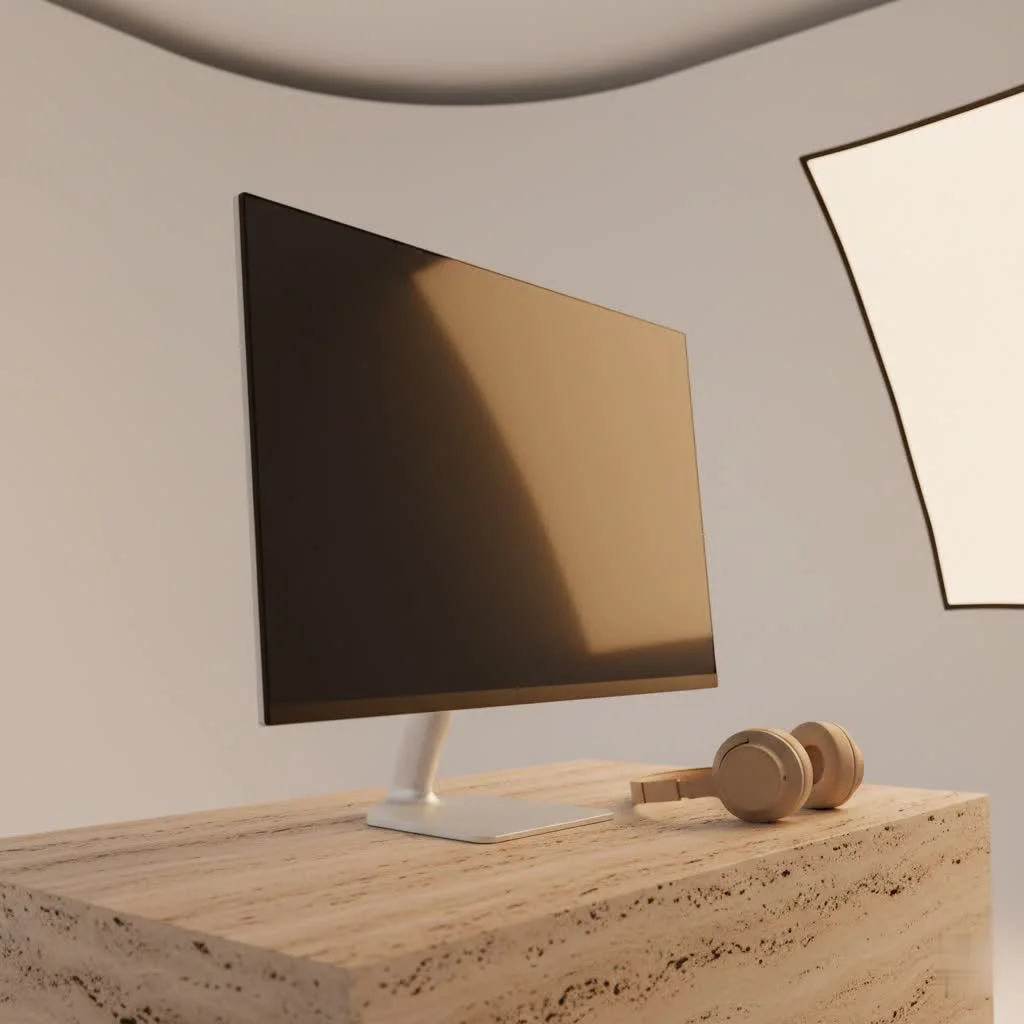
A 30-inch ultrawide isn’t just “bigger”; it’s a fundamental shift in how you interact with your digital world. It delivers an expansive canvas that redefines multitasking and plunges you deeper into your games and movies, making those long hours in front of the screen more enjoyable and, dare I say, more productive.
What Exactly is a 30-Inch Ultrawide Monitor?
When we talk about a “30-inch computer monitor,” we’re almost exclusively referring to an ultrawide display with a 21:9 aspect ratio. This is a crucial distinction from traditional monitors, which typically adhere to a 16:9 aspect ratio. Think of it this way: a 30-inch ultrawide offers a similar vertical screen height to a conventional 24-inch 16:9 monitor, but it’s significantly wider. This extra horizontal real estate is where the magic truly happens, opening up new possibilities for how you arrange your windows and perceive content.
The most common resolution for a 30-inch ultrawide is WFHD (2560×1080 pixels). While larger ultrawides (34-inch and up) often feature higher resolutions like WQHD (3440×1440) or even 5K2K (5120×2160), WFHD on a 30-inch screen strikes a balance between screen space and the graphical demands on your computer.
The Undeniable Advantages: Why Go Ultrawide?
So, why should a 30-inch ultrawide be on your radar? The benefits extend far beyond mere size.
Boosted Productivity & Multitasking
For professionals, a 30-inch ultrawide can be a game-changer. Imagine effortlessly running two or even three applications side-by-side without feeling cramped or constantly switching between windows. This extended horizontal space is a godsend for tasks like:
- Data Analysis: View multiple columns of a spreadsheet or comparative charts simultaneously.
- Programming: Keep your code editor on one side and documentation, debugging tools, or live previews on the other.
- Content Creation: Video and audio editors will revel in the extended timelines, while graphic designers gain more room for toolbars and artboards.
|
Our Picks for the Best Computer Monitor in 2026
As an Amazon Associate I earn from qualifying purchases.
|
||
| Num | Product | Action |
|---|---|---|
| 1 | Samsung 24” (S40GD) Borderless Business Monitor with IPS Panel, 100Hz Refresh Rate, Eye Saver Mode, Ergonomic Design, Game Picture Mode, LS24D402GANXGO, 3 Yr Warranty |

|
| 2 | Samsung 27\\\" Essential S3 (S36GD) Series FHD 1800R Curved Computer Monitor, 100Hz, Game Mode, Advanced Eye Comfort, HDMI and D-sub Ports, LS27D366GANXZA, 2024 |
|
| 3 | acer 27 Inch Monitor- KB272-27 Inch FHD IPS (1920 x 1080) Display, Up to 120Hz Refresh Rate, 99% sRGB, Tilt, Adaptive-Sync Support (FreeSync Compatible) 1ms (VRB), HDMI & VGA Ports |
|
| 4 | Samsung 32-Inch Flat Computer Monitor, 75Hz, Borderless Display, AMD FreeSync, Game Mode, Advanced Eye Care, HDMI and DisplayPort, LS32B304NWNXGO, 2024 |
|
| 5 | Amazon Basics 24 Inch (23.8 inch viewable) Monitor, FHD 1080P, Max 100Hz, VESA Compatible, Built-in Speakers, Black |
|
| 6 | Philips New 27-inch Class Thin Full HD (1920 x 1080) 100Hz Monitor, VESA, HDMI x 1, VGA Port x1, Eye Care, 4 Year Advance Replacement Warranty, 271V8LB, Black |
|
| 7 | Philips 221V8LB 22 inch Class Thin Full HD (1920 x 1080) Monitor, 100Hz Refresh Rate, VESA, HDMI x1, VGA x1, LowBlue Mode, Adaptive Sync, 4 Year Advance Replacement Warranty |
|
| 8 | LG HDMI(2), DP, RS232C in/Out, RJ45 in,IR I |
|
| 9 | MAFNKOU Portable Monitor Touchscreen 14” 1920 * 1200P Gaming Display,Built-in Stand Speakers HDR IPS External Monitor for Laptop Portable,Travel Monitors for Laptop Mac PC Phone PS4/5 Xbox Switch |
|
| 10 | Samsung 27\\\" S3 (S32GF) FHD High Resolution 120Hz Monitor with IPS Panel, Flicker Free, Eye Saver Mode, LS27F320GANXZA, 2025 |
|
This setup often reduces the need for a cumbersome dual-monitor setup, leading to less cable clutter and a cleaner desk. As our expert, “Eleanor Vance,” a veteran UI/UX designer, once put it, “An ultrawide means fewer bezels distracting your focus and more flow in your creative process.”
Immersive Gaming Experience
For gamers, a 30-inch ultrawide transforms your virtual worlds. The wider field of view pulls you deeper into the action, making games, especially those in genres like simulation, racing, or open-world adventures, incredibly immersive. It’s like having a peripheral vision boost that a standard 16:9 monitor simply can’t match. You’ll catch details on the edges of your screen that you might otherwise miss, enhancing situational awareness in many titles.
Cinematic Entertainment
Love movies? Many modern films are shot in wider aspect ratios that perfectly fill an ultrawide screen, eliminating those annoying black bars you see on traditional monitors. It’s a truly cinematic experience right at your desk, making your favorite films and TV shows more engaging.
Improved Ergonomics
Constantly swiveling your head between two separate monitors can lead to neck strain over time. With a single ultrawide monitor, your primary focus can remain centered, while secondary information flows naturally into your peripheral vision. This more natural viewing experience can significantly improve comfort during long working sessions.
Key Specifications to Consider
Choosing the right 30-inch ultrawide goes beyond just the size. Here are the crucial specs to evaluate:
Resolution (WFHD 2560×1080 and Pixel Density)
For a 30-inch ultrawide, 2560×1080 (WFHD) is the standard. However, it’s important to understand pixel density. At this size and resolution, the pixel density is comparable to a 24-inch 1080p monitor. If you sit very close to the screen, you might perceive individual pixels, sometimes described as a “grainy” appearance. For most users and typical viewing distances, this isn’t an issue, but if crisp text is your absolute top priority and you have a sharp eye, you might prefer a slightly smaller monitor or a larger ultrawide with a higher resolution.
Refresh Rate (Hz) & Response Time (ms)
These are paramount for gamers:
- Refresh Rate (Hz): How many times per second the screen updates. A higher refresh rate (e.g., 100Hz, 144Hz, 200Hz) results in smoother motion, which is vital for fast-paced games.
- Response Time (ms): How quickly pixels change color. Lower numbers (1ms GtG or MPRT) mean less ghosting or motion blur, providing a clearer image during quick movements.
Panel Technology (IPS, VA, OLED)
The type of panel affects color, contrast, and viewing angles:
- IPS (In-Plane Switching): Known for excellent color accuracy and wide viewing angles, making it great for graphic design and general use.
- VA (Vertical Alignment): Offers superior contrast ratios and deeper blacks, often used in curved monitors for enhanced immersion. Viewing angles are generally good, but not quite IPS-level.
- OLED (Organic Light-Emitting Diode): The king of contrast and true blacks, with incredibly fast response times. While less common in 30-inch ultrawides and typically more expensive, it offers an unparalleled visual experience.
Curvature
Most 30-inch ultrawide monitors feature a curved screen. This isn’t just a gimmick; the curve helps maintain a consistent viewing distance to all parts of the large screen, reducing eye strain and enhancing the immersive effect, especially for gaming and movies.
Adaptive Sync (FreeSync, G-SYNC)
For gamers, adaptive sync technologies like AMD FreeSync and NVIDIA G-SYNC synchronize your monitor’s refresh rate with your graphics card’s frame rate. This eliminates screen tearing and stuttering, leading to a much smoother and more fluid gaming experience. Ensure your monitor supports the technology compatible with your GPU.
Connectivity (USB-C, KVM, DisplayPort, HDMI)
Consider the ports you’ll need. USB-C with power delivery can simplify your setup by allowing a single cable to connect and charge your laptop while sending video. KVM switches (Keyboard, Video, Mouse) are fantastic for those who use two computers with one monitor, keyboard, and mouse setup, streamlining your workspace. Of course, standard DisplayPort and HDMI inputs are essential.
Who is a 30-Inch Ultrawide Monitor For?
While versatile, certain users will benefit most from a 30-inch ultrawide:
- Gamers: Especially those who play immersive, single-player, or simulation games and want to feel truly “in the game.”
- Productivity Power Users: Developers, data analysts, writers, and anyone who routinely works with multiple applications side-by-side will find their workflow significantly optimized.
- Content Creators on a Budget: For video editors and graphic designers who need ample timeline or canvas space but aren’t ready for a larger, higher-resolution (and more expensive) ultrawide.
- Everyday Users: If you just want more screen real estate than a standard 24-inch or 27-inch monitor without the commitment of a massive 34-inch or larger display, the 30-inch ultrawide is a fantastic middle ground.
Making the Right Choice: Tips from an Expert
As someone who’s seen countless monitors come and go, here’s my advice for picking your perfect 30-inch ultrawide:
- Assess Your Primary Use Case: Are you mostly gaming, working, or a bit of both? This will guide your priorities for refresh rate, panel type, and connectivity.
- Consider Your Desk Space: While eliminating a second monitor saves space, a 30-inch ultrawide still commands a significant footprint. Measure your desk to ensure a comfortable fit.
- Check Your GPU Compatibility: For optimal performance, especially in gaming, ensure your graphics card can handle the resolution and desired refresh rate of your chosen monitor. Don’t forget adaptive sync compatibility!
- Set a Realistic Budget: 30-inch ultrawides offer a good entry point into the ultrawide world, but features like higher refresh rates or specific panel types can push the price up.
Conclusion
The 30-inch ultrawide computer monitor stands as a compelling choice for a vast array of users. It masterfully blends enhanced productivity capabilities with a deeply immersive entertainment experience, all within a footprint that’s often more manageable than a multi-monitor setup. By offering significantly more horizontal screen space, it streamlines workflows, captivates gamers with an expanded field of view, and delivers a cinematic punch for movie lovers.
In my years of dissecting display technology, I’ve consistently observed that moving to an ultrawide format often becomes one of the most impactful upgrades users make to their computing experience. It’s not just about a bigger screen; it’s about a smarter, more engaging way to interact with your digital life. So, if you’re looking to boost your efficiency, dive deeper into your favorite games, or simply enjoy media like never before, a 30-inch ultrawide monitor is an investment well worth considering. Explore the options, weigh your needs against the features, and prepare to expand your horizons.
Frequently Asked Questions
- What is the typical resolution for a 30-inch ultrawide monitor?
- The typical resolution for a 30-inch ultrawide monitor is WFHD (2560x1080 pixels). This resolution provides a good balance between screen space and the graphical demands on your computer, offering a pixel density comparable to a 24-inch 1080p monitor.
- How does a 30-inch ultrawide compare to a standard 16:9 monitor?
- A 30-inch ultrawide monitor has a 21:9 aspect ratio, providing significantly more horizontal screen real estate than a standard 16:9 monitor. It offers a similar vertical height to a 24-inch 16:9 display but is much wider, enhancing multitasking and immersive experiences.
- Is a curved screen beneficial for a 30-inch ultrawide monitor?
- Yes, most 30-inch ultrawide monitors feature a curved screen, which is beneficial for maintaining a consistent viewing distance across the large display. This curvature helps reduce eye strain and enhances the immersive effect, particularly for gaming and movies.
- What are the main advantages of using a 30-inch ultrawide for productivity?
- For productivity, a 30-inch ultrawide monitor allows users to run two or three applications side-by-side without feeling cramped, eliminating the need for a dual-monitor setup. This is particularly useful for tasks like data analysis, programming, and content creation, improving workflow efficiency.
- Which panel technology is best for a 30-inch ultrawide monitor?
- The best panel technology depends on your primary use. IPS panels offer excellent color accuracy and wide viewing angles, ideal for graphic design. VA panels provide superior contrast and deeper blacks, often preferred for curved monitors and immersive content. OLED panels deliver unparalleled contrast and true blacks with incredibly fast response times, though they are typically more expensive.
Choosing the Right 30-Inch Ultrawide Monitor
Follow these steps to select the perfect 30-inch ultrawide monitor for your specific needs, considering factors like usage, desk space, and budget.
- Assess Your Primary Use Case
Determine if you will primarily use the monitor for gaming, professional work, or a combination of both. This assessment will help prioritize features such as refresh rate, panel type, and connectivity options. - Consider Your Desk Space
Measure your desk to ensure that a 30-inch ultrawide monitor will fit comfortably. While it can replace a dual-monitor setup, it still requires significant horizontal space for optimal viewing and ergonomics. - Check GPU Compatibility
Verify that your graphics card can support the desired resolution (2560x1080 WFHD) and refresh rate of the monitor, especially for gaming. Also, confirm compatibility with adaptive sync technologies like FreeSync or G-SYNC for a smoother experience. - Set a Realistic Budget
Establish a budget for your monitor purchase. While 30-inch ultrawides are an accessible entry point, features like higher refresh rates, advanced panel technologies (e.g., OLED), or specific connectivity options can increase the overall cost.

This monitor size is perfect for gaming. I was worried a 30-inch might feel too small for an ultrawide, but the WFHD resolution at 2560×1080 looks really sharp. Immersion in open-world games is incredible, and I don’t feel like I need a dual-monitor setup anymore. Setup was a breeze, too.
Upgraded from a standard 16:9 monitor to a 30-inch ultrawide, and wow, what a difference! The expansive canvas truly redefines how I game and even how I edit videos. It’s like having two monitors without the annoying bezel in the middle. Definitely recommend for anyone looking to dive deeper into their digital world.
I got a 30-inch ultrawide for my home office, and while the extra horizontal space is great for multitasking, I’ve noticed some older applications don’t scale perfectly to the 21:9 aspect ratio. It’s not a dealbreaker, but it can be a bit annoying to have black bars on the sides for certain programs. Otherwise, it’s a solid display.
I finally pulled the trigger on a 30-inch ultrawide after debating for months, and I’m so glad I did. The 21:9 aspect ratio is a game changer for my workflow. I can have multiple documents open side-by-side without constantly alt-tabbing, which has seriously boosted my productivity. It’s also fantastic for watching movies; no more black bars!